

Claiming staking rewards
Two reward types: Staking rewards and NFT/license rewards are separate reward streams. This page covers staking rewards. NFT/license rewards are claimed separately through the license reward mechanism.
1
Go to the Delegation page
Navigate to the Delegation page from the main menu.
2
Claim from the delegation row
Find the delegation you want to claim from and click Claim Rewards in the Actions column to claim your staking rewards.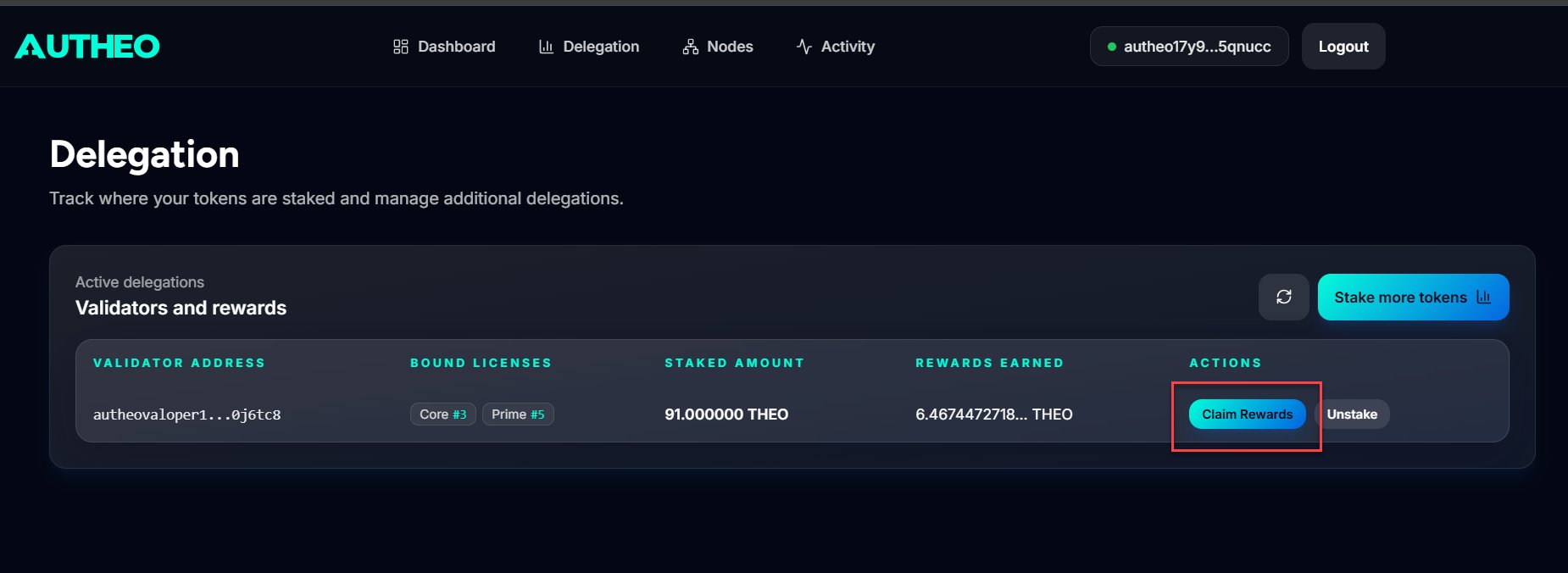
3
Sign in Keplr
Sign the transaction in Keplr. Rewards transfer to your wallet upon confirmation.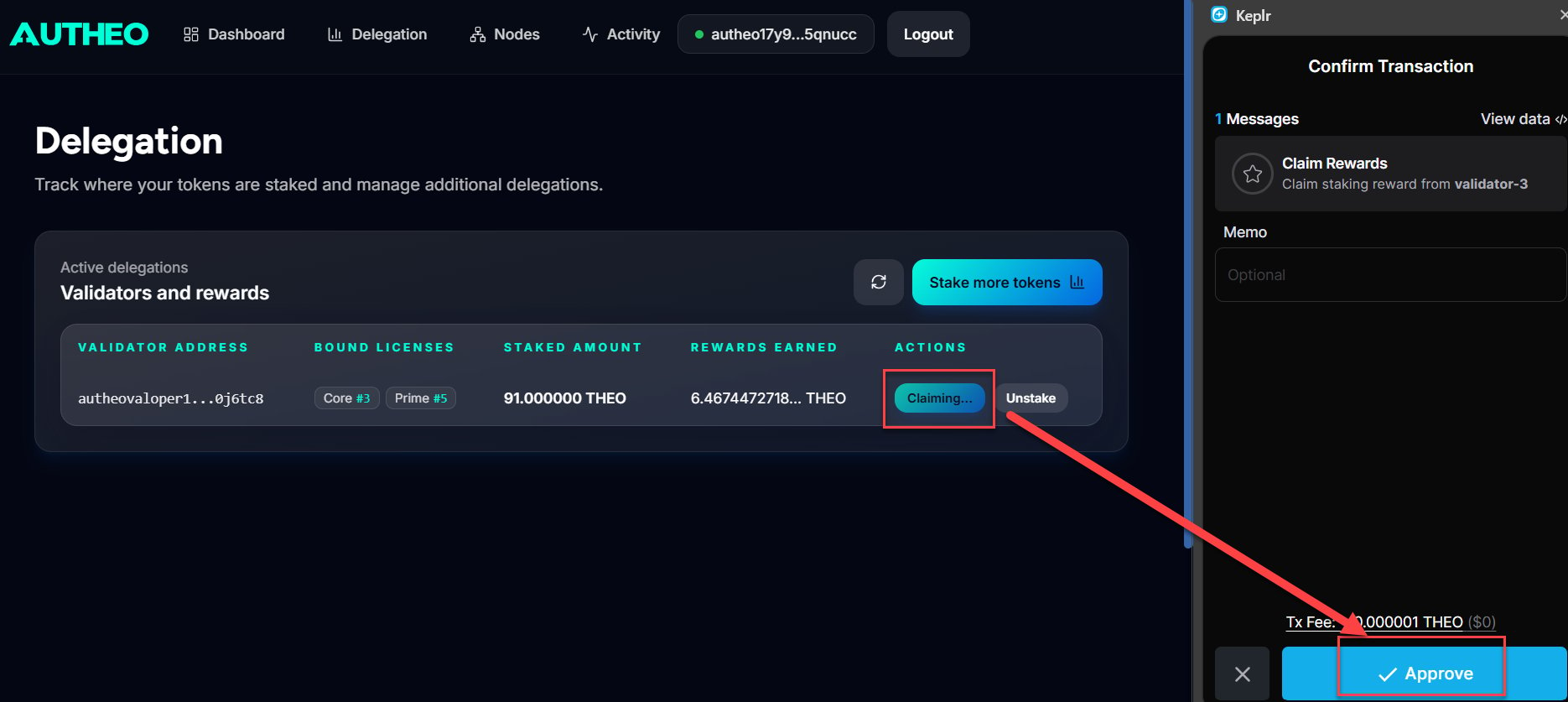
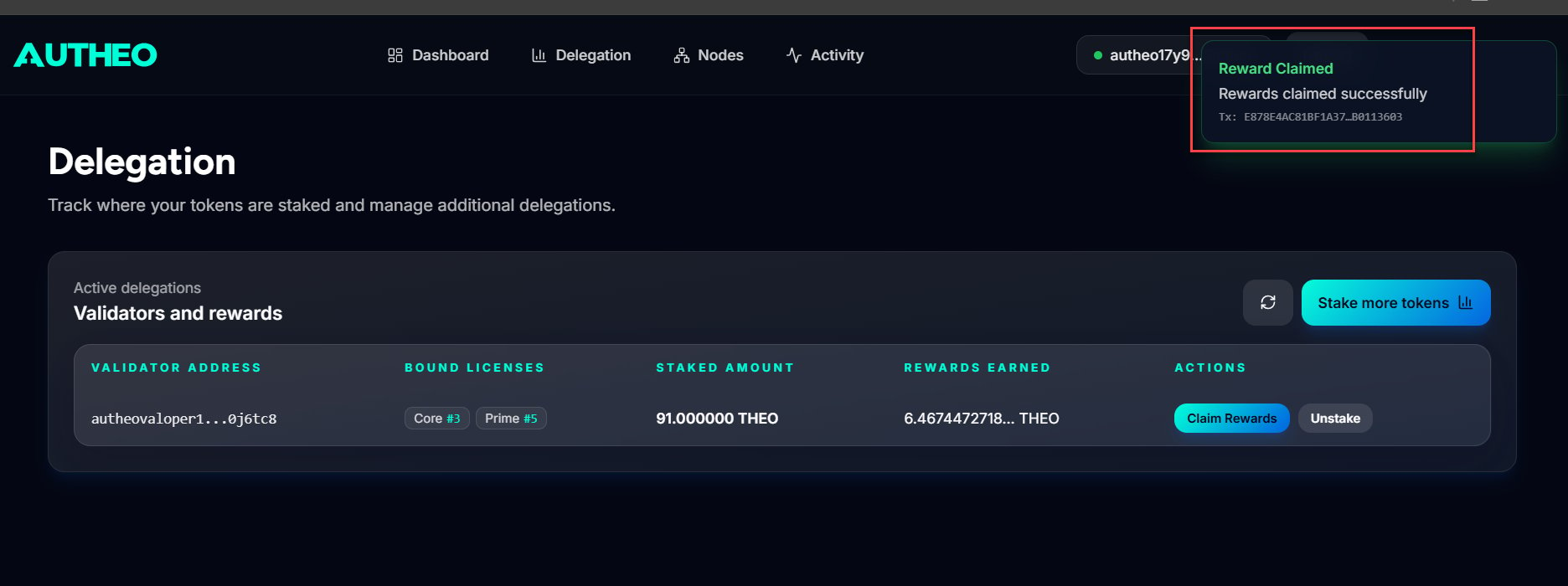
Unbinding a license
Before you unbind: Unbinding disconnects the license from its current delegation. Review any unclaimed license/NFT rewards before confirming the transaction.Unbinding releases a Prime or Core license from a delegation. The license enters a cooldown period before it can be rebound to another validator.
1
Find the delegation
On the Delegation page, locate the delegation with the license you want to unbind.
2
Open the unbind modal
Click the Unbind License button (shown in red) in the Actions column.
3
Select the license and review cooldown
In the modal, select the license to unbind and review the cooldown period displayed.
4
Confirm and sign
Click Unbind License and sign the transaction in Keplr.
Unstaking tokens
Unstaking (undelegating) removes your THEO from a validator. Tokens enter an unbonding period during which they are locked and do not earn rewards. They become available in your wallet after the unbonding period completes.Unbonding period: Approximately 21 days. During this period, unstaked THEO is locked, does not earn staking rewards, and cannot be transferred.
Note: Unstaking and unbinding are different actions. Unstaking removes your THEO delegation and starts the token unbonding period. Unbinding releases a Prime or Core license from its delegation so the license can later be rebound.
1
Open the unstake flow
On the Delegation page, click the Unstake button in the Actions column for the delegation you want to exit.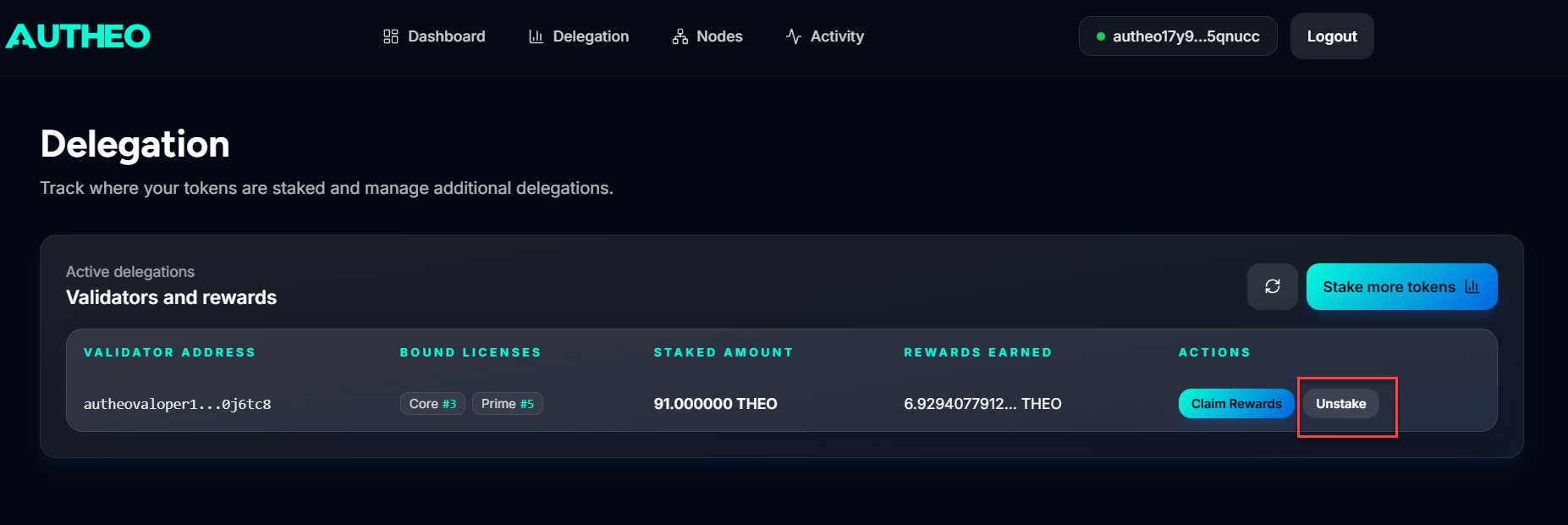
2
Enter the amount
Enter the THEO amount to unstake, or click MAX to unstake your full delegated amount.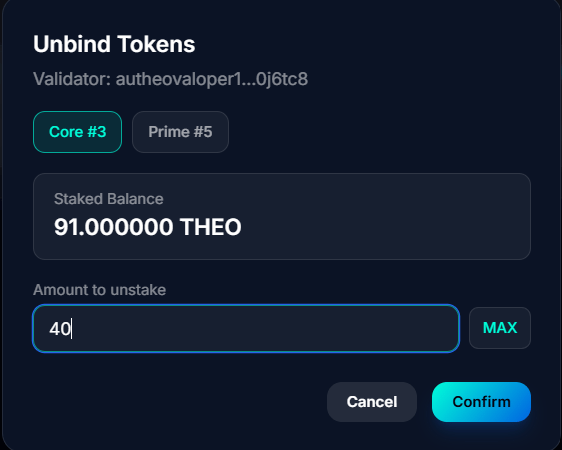
3
Confirm and sign
Click Confirm and sign the transaction in Keplr.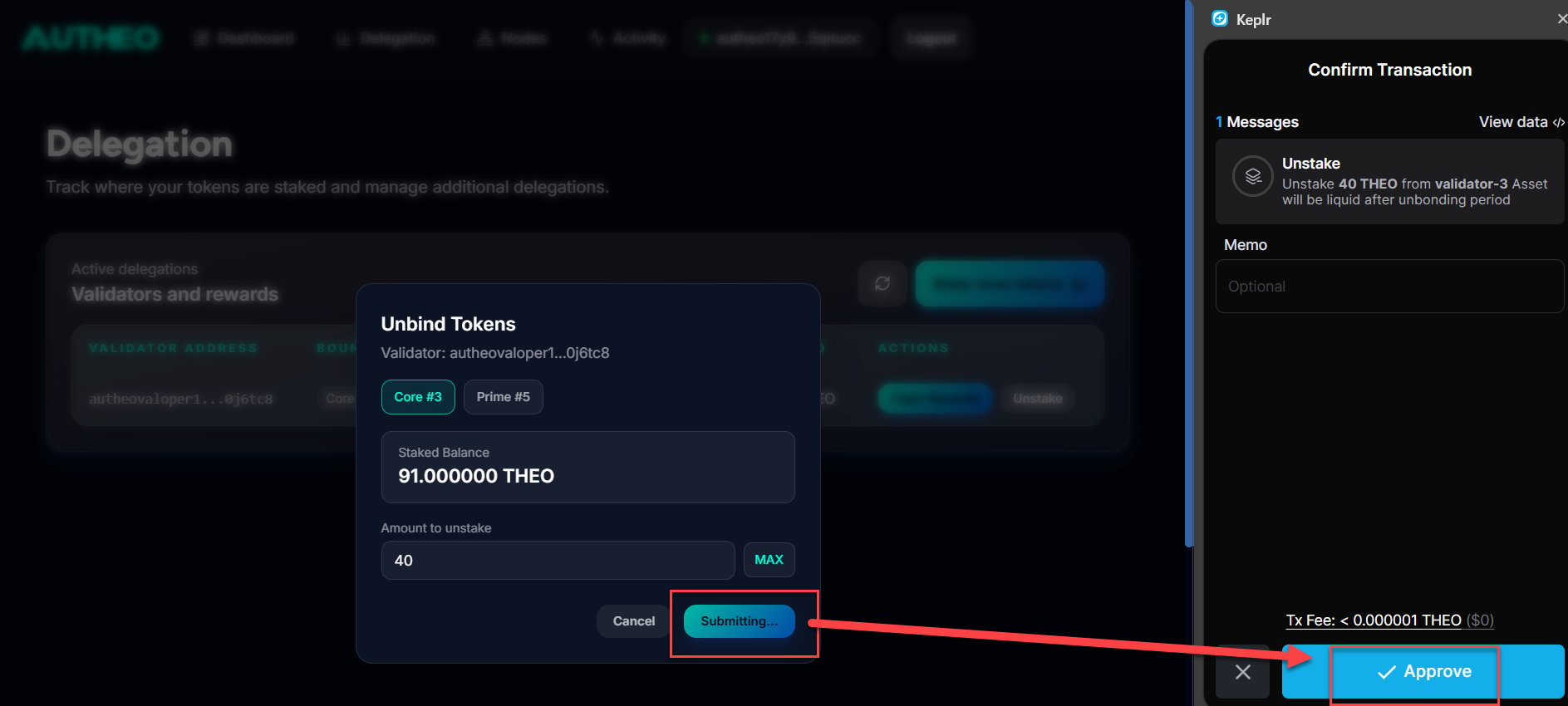
The unbonding period is an on-chain parameter (~21 days). During this period, your tokens are neither earning rewards nor available for transfer. Plan accordingly before initiating a large unstake.
Moving your delegation to another validator
Autheo does not currently support redelegation. To move your THEO from one validator to another:- Unstake your THEO from the current validator.
- Wait for the approximately 21-day unbonding period to complete.
- After the THEO becomes available in your wallet, delegate it to the new validator.