Documentation Index
Fetch the complete documentation index at: https://docs.autheo.com/llms.txt
Use this file to discover all available pages before exploring further.
The Dashboard is the central hub for monitoring your validator status, balances, and licenses. It is the first page you see after signing in.
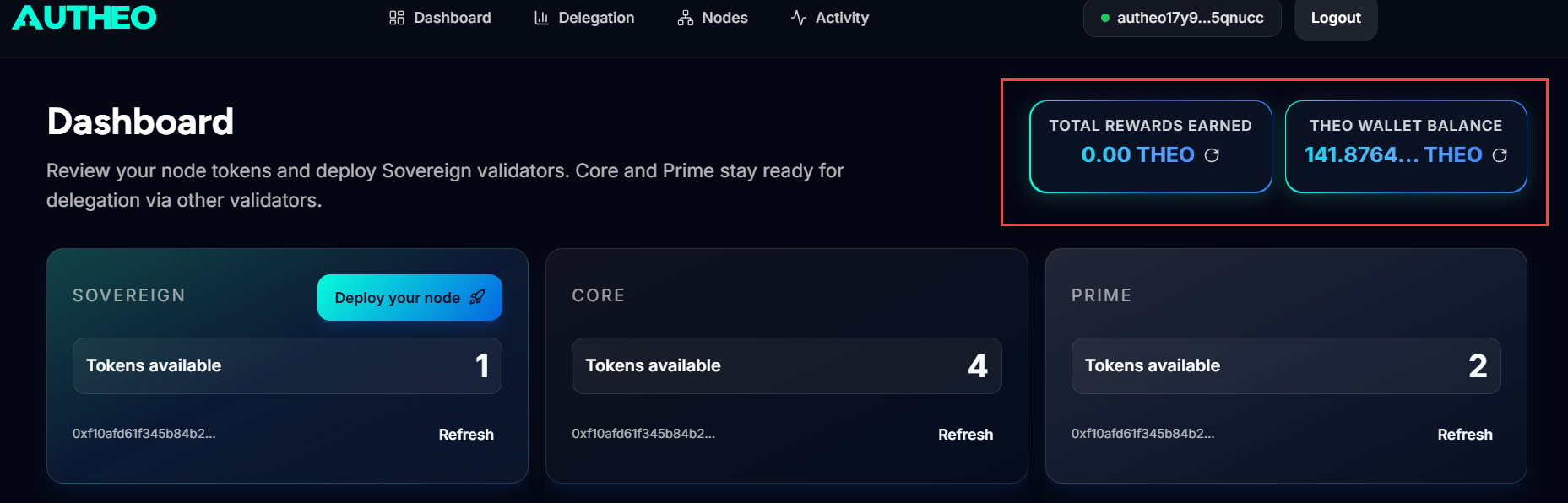
Rewards and wallet balance
| Card | Description |
|---|
| Total Rewards Earned | Cumulative THEO earned from validator commission and delegation rewards. Click ↻ to refresh. |
| THEO Wallet Balance | Your current THEO token balance. Click ↻ to refresh. |
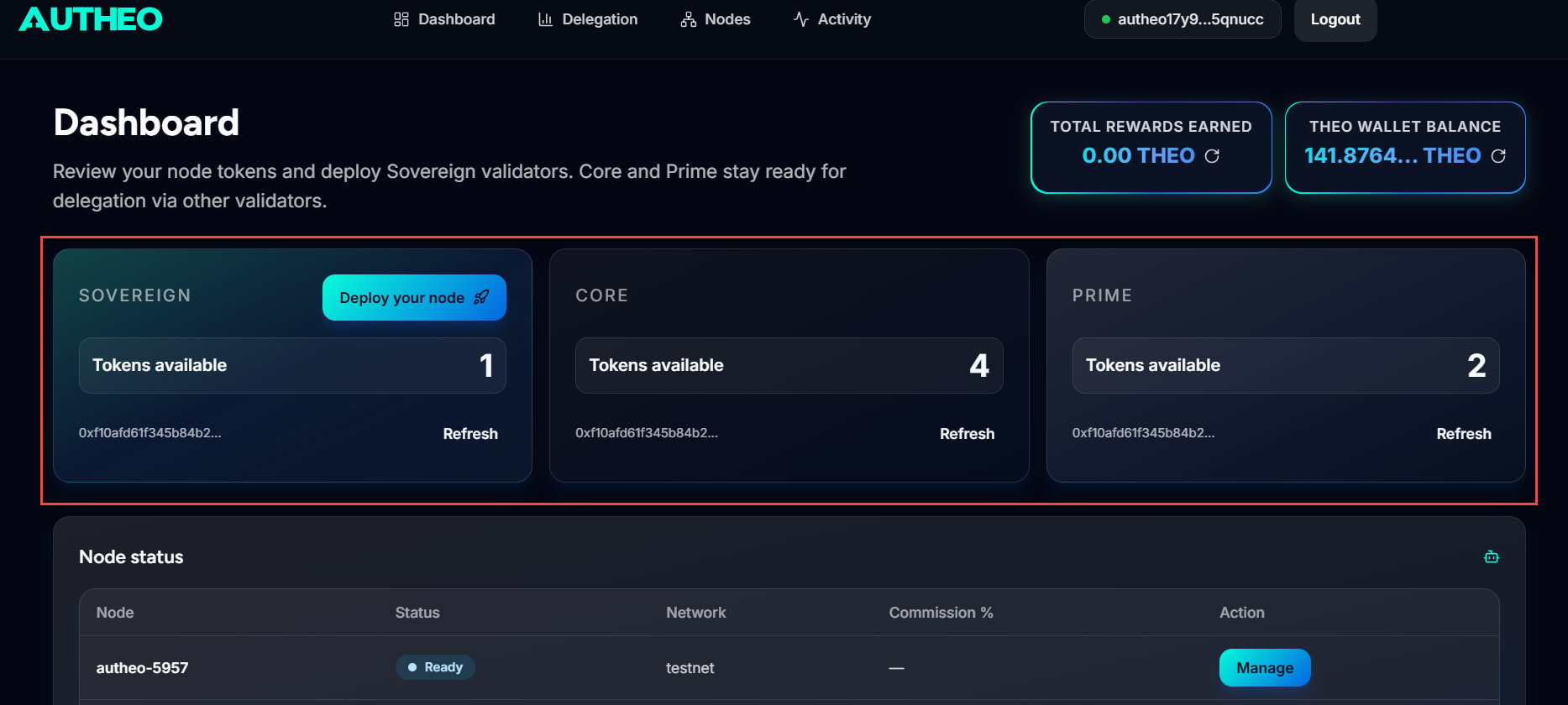
License status
| License | Description | Action shown |
|---|
| Sovereign | Allows you to deploy and operate your own validator node | Deploy your node (if owned) or Add Sovereign (if count is 0) |
| Core | Used in delegation pools through other validators | Refresh to update count |
| Prime | Premium delegation pool participation through other validators | Refresh to update count |
License counts reflect the number of each license type currently associated with your connected wallet. Counts update after wallet connection and after relevant on-chain transactions.
Node status table
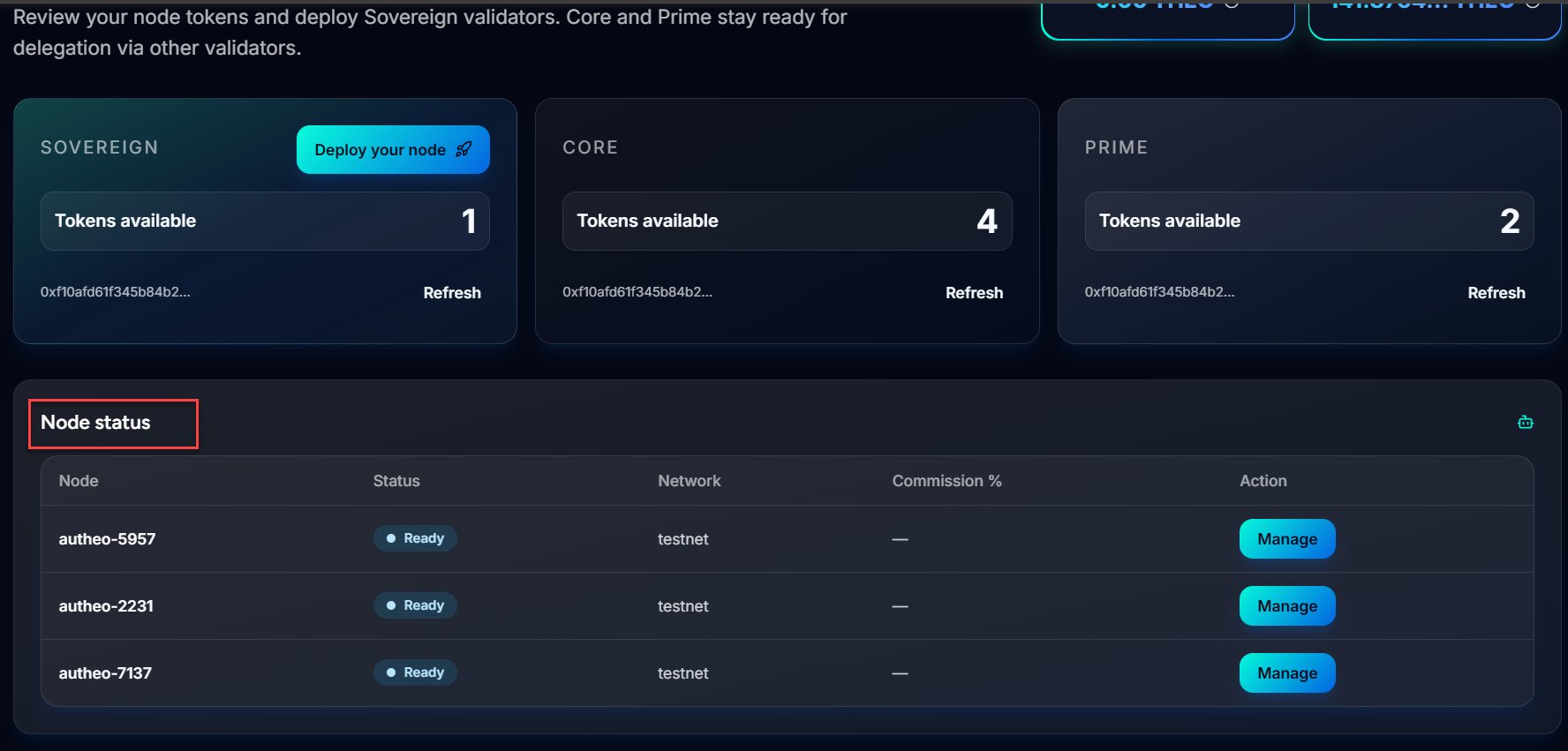
The Node Status table lists all validator nodes associated with your account.
| Column | Description |
|---|
| Node | Name of your validator node |
| Status | Current node status (see table below) |
| Network | Mainnet or Testnet |
| Commission % | The validator’s commission rate |
| Action | Management actions for the node |
Node status values
| Status | Colour | Meaning |
|---|
| Provisioning | Amber | Node is being set up and deployed |
| Draft | Amber | Configuration saved but not yet deployed |
| Active | Green | Node is running and participating in consensus |
| Ready | Blue | Node is deployed and ready for configuration |
| Jailed | Red | Node has been jailed for downtime or misbehavior |
| Inactive | Red | Node is not currently participating in the network |
The Manage button is only available for nodes in Ready status. Use it to bind your Sovereign license and complete the activation flow.
A node must progress through Provisioning → Ready → Bind Sovereign license → Stake THEO before it reaches Active status and begins participating in consensus. See Deploying a node for the full deployment flow.