

Connecting your wallet
1
Open the Bridge
Navigate to the Autheo Bridge URL in your browser.
2
Click Connect Wallet
Click the Connect Wallet button in the top-right corner of the header.
3
Select your wallet type
A wallet selection modal appears listing supported wallet protocols. Select your preferred wallet type based on the chain you are transferring from.
4
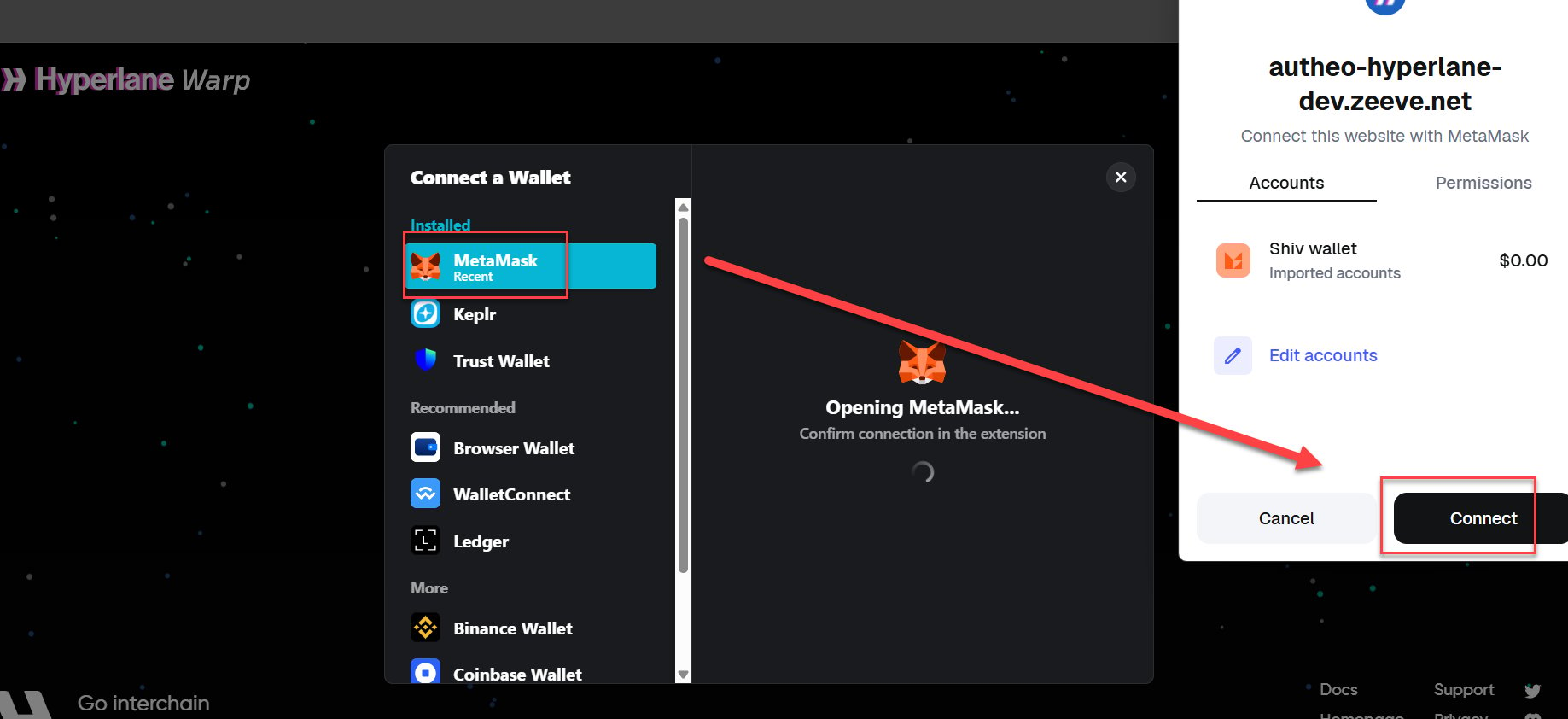
Approve the connection
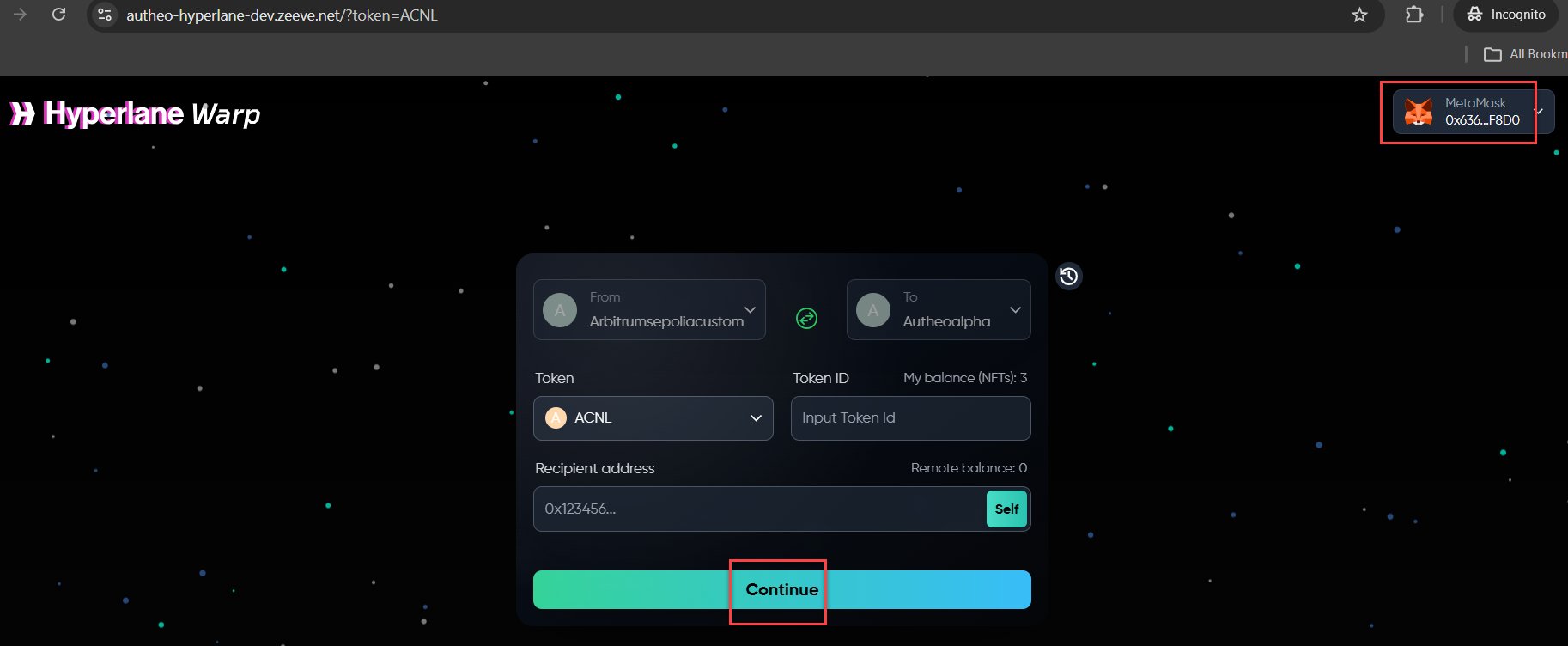
Approve the connection request in your wallet’s popup window. Once connected, your wallet address is displayed in the top-right corner.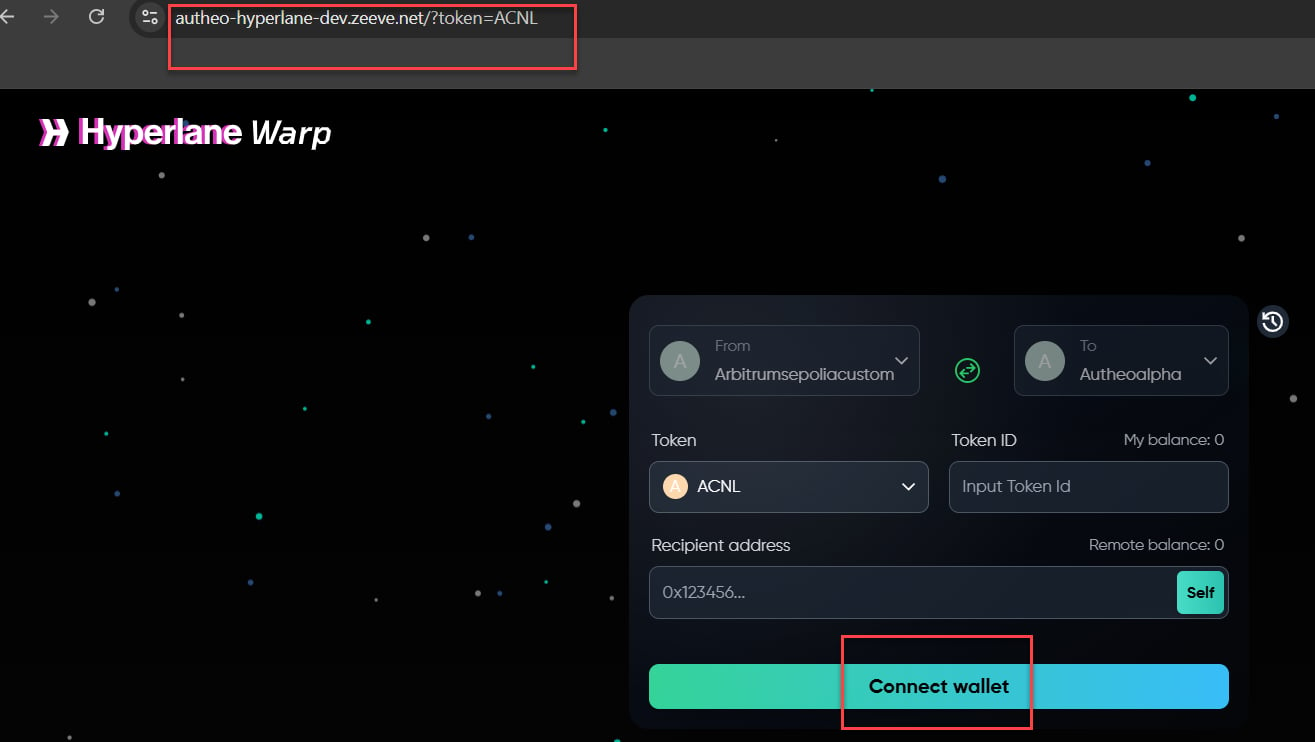
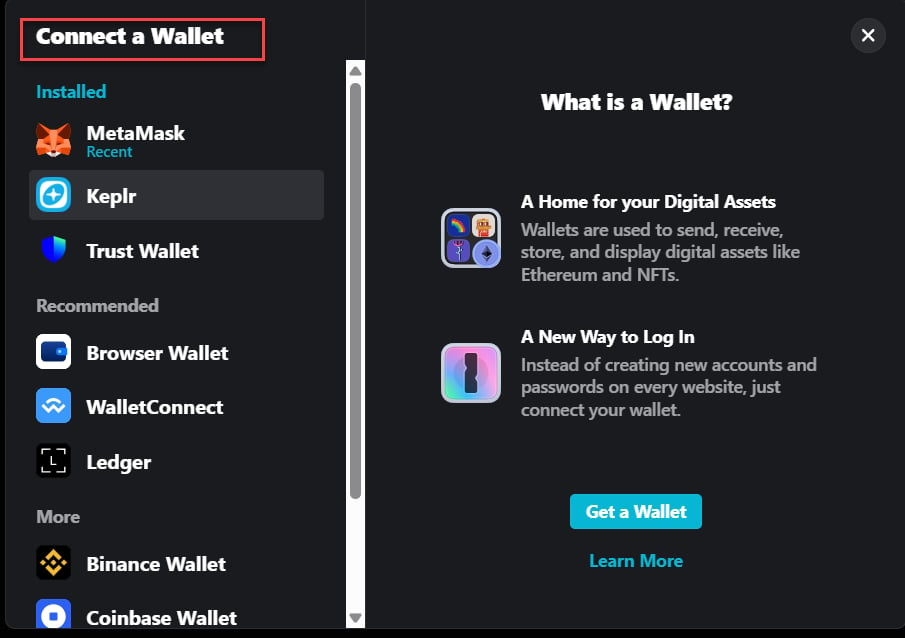
Supported wallet types
For most users bridging between Arbitrum Sepolia and Autheo Alpha, MetaMask is the recommended wallet.
Managing connected wallets
The History sidebar (accessible via the clock icon in the floating action buttons) shows your connected wallets alongside your transfer history. From this sidebar you can:- View which wallet addresses are currently connected
- Review transfers associated with each connected address