> ## Documentation Index
> Fetch the complete documentation index at: https://docs.autheo.com/llms.txt
> Use this file to discover all available pages before exploring further.
# Rewards and unstaking
> How to claim delegation rewards, unbind licenses, and unstake THEO tokens in the Autheo Validator Portal.
This page covers claiming your earned rewards, unbinding licenses, and unstaking THEO tokens from the Autheo Validator Portal.
For staking mechanics and reward calculations, see [Staking and rewards](/token/staking-and-rewards).
## Claiming rewards
Navigate to the **Delegation** page from the main menu.
Find the delegation you want to claim from and click **Claim Rewards** in the Actions column.
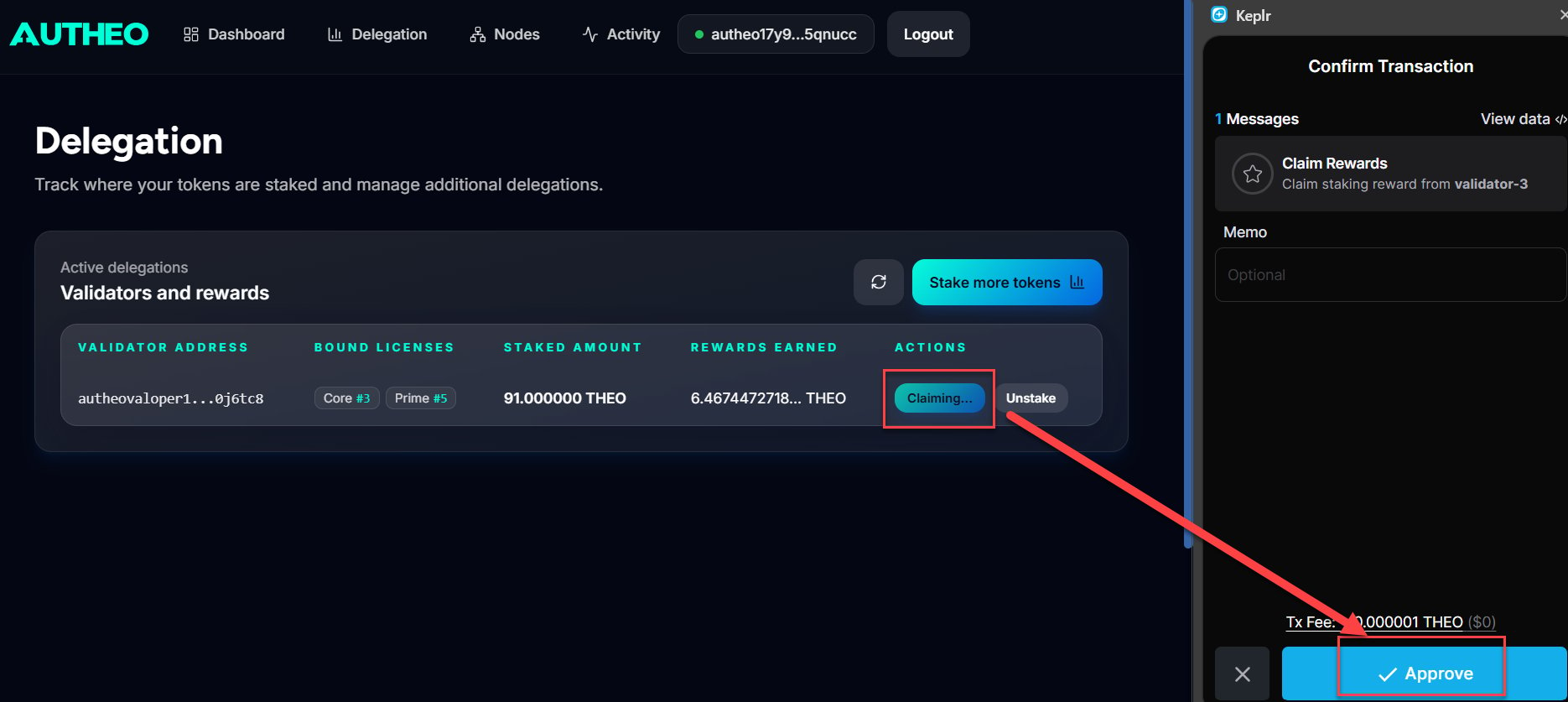
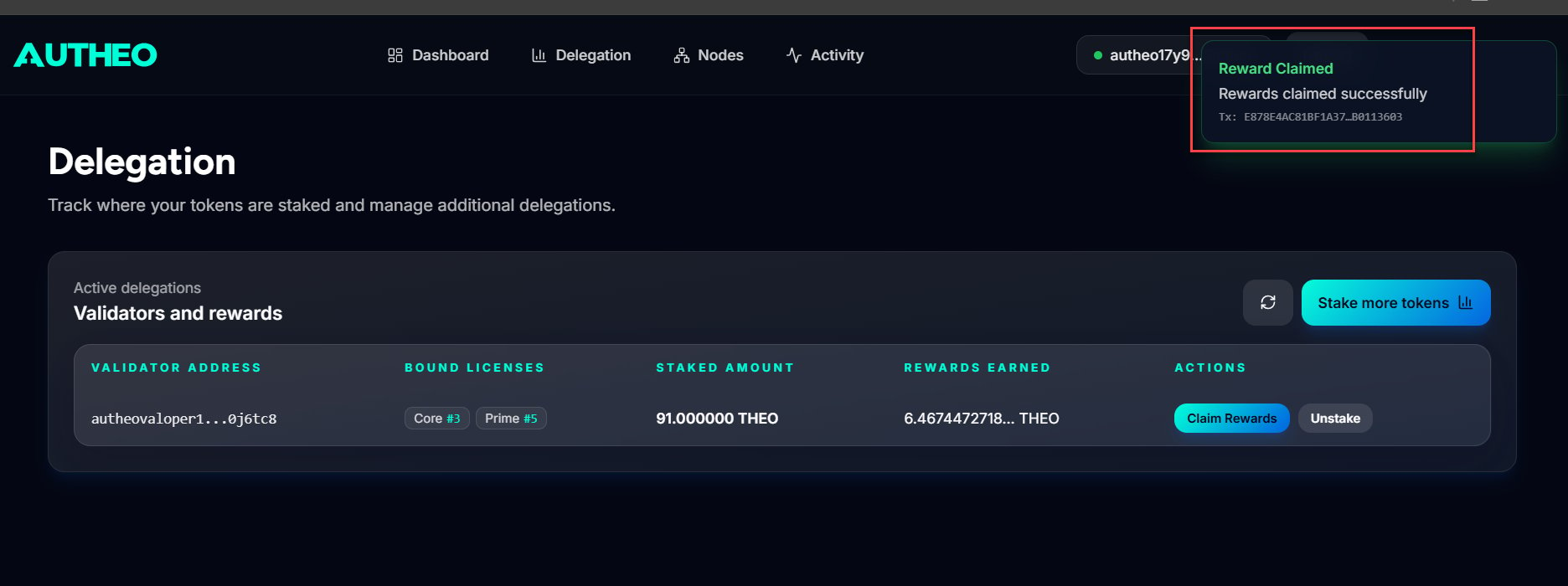
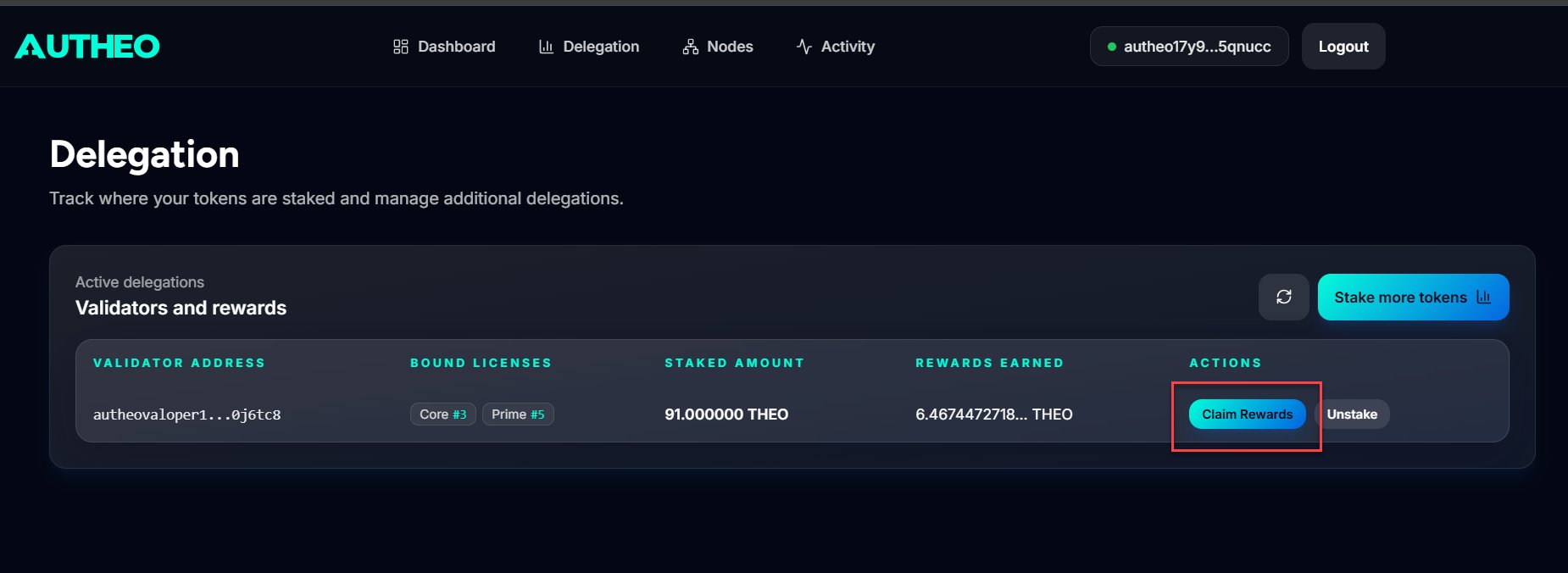 Sign the transaction in Keplr. Rewards transfer to your wallet upon confirmation.
 ## Unbinding a license
Unbinding releases a Prime or Core license from a delegation. The license enters a cooldown period before it can be rebound to another validator.
On the **Delegation** page, locate the delegation with the license you want to unbind.
Click the **Unbind License** button (shown in red) in the Actions column.
In the modal, select the license to unbind and review the cooldown period displayed.
Click **Unbind License** and sign the transaction in Keplr.
Unbinding a license moves it from `ACTIVE` back to `BOUND` or `ISSUED` status and may affect reward eligibility during the cooldown period. The license cannot be rebound until the cooldown expires.
## Unstaking tokens
Unstaking (undelegating) removes your THEO from a validator. Tokens enter an **unbonding period** during which they are locked and do not earn rewards. They become available in your wallet after the unbonding period completes.
On the **Delegation** page, click the **Unstake** button in the Actions column for the delegation you want to exit.
## Unbinding a license
Unbinding releases a Prime or Core license from a delegation. The license enters a cooldown period before it can be rebound to another validator.
On the **Delegation** page, locate the delegation with the license you want to unbind.
Click the **Unbind License** button (shown in red) in the Actions column.
In the modal, select the license to unbind and review the cooldown period displayed.
Click **Unbind License** and sign the transaction in Keplr.
Unbinding a license moves it from `ACTIVE` back to `BOUND` or `ISSUED` status and may affect reward eligibility during the cooldown period. The license cannot be rebound until the cooldown expires.
## Unstaking tokens
Unstaking (undelegating) removes your THEO from a validator. Tokens enter an **unbonding period** during which they are locked and do not earn rewards. They become available in your wallet after the unbonding period completes.
On the **Delegation** page, click the **Unstake** button in the Actions column for the delegation you want to exit.
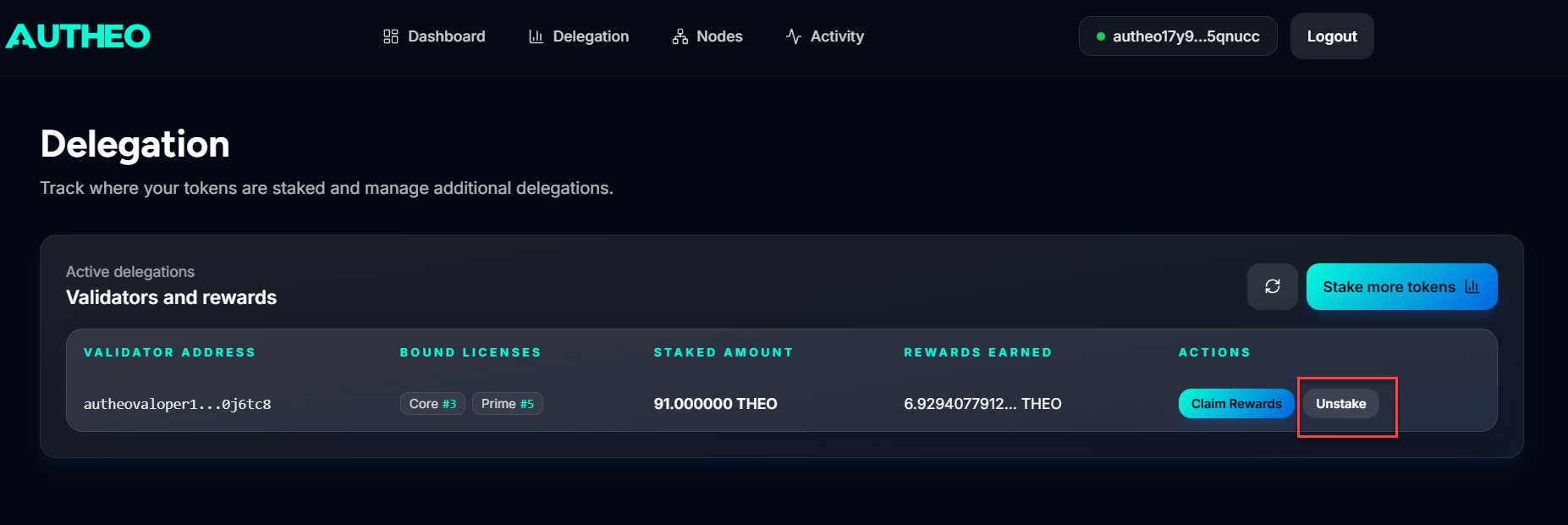 Enter the THEO amount to unstake, or click **MAX** to unstake your full delegated amount.
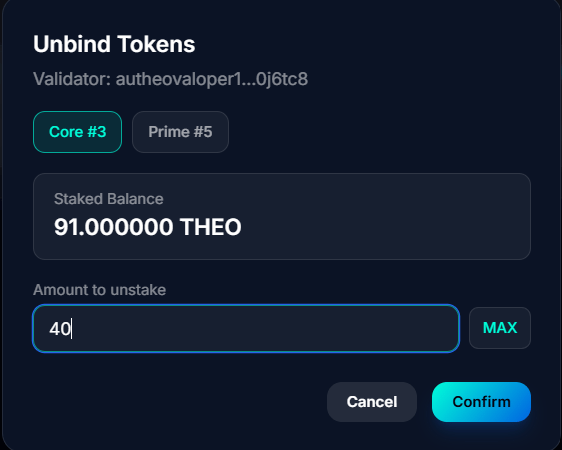 Click **Confirm** and sign the transaction in Keplr.
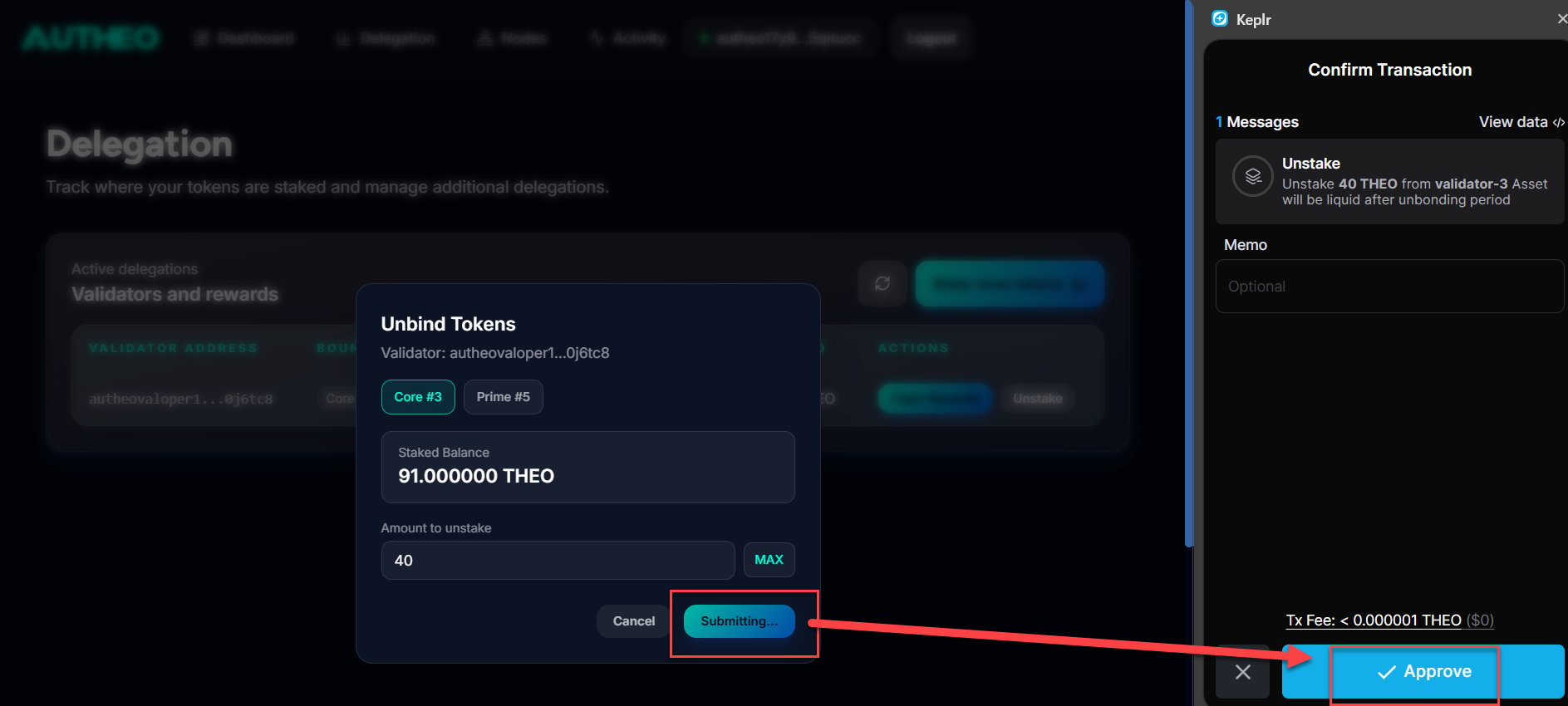 The unbonding period is an on-chain parameter (\~21 days). During this period, your tokens are neither earning rewards nor available for transfer. Plan accordingly before initiating a large unstake.