> ## Documentation Index
> Fetch the complete documentation index at: https://docs.autheo.com/llms.txt
> Use this file to discover all available pages before exploring further.
# Validator Portal
> Introduction to the Autheo Validator Portal: deploy validator nodes, delegate THEO, manage licenses, and claim rewards using the Keplr wallet.
The Autheo Validator Portal is a web-based management dashboard for operating and managing validator nodes on the Autheo network. It integrates with the Keplr wallet for secure transaction signing.
**Platform URL:** [https://validator.autheo.com](https://validator.autheo.com)
For protocol-level context on the validator program, see [Validator program overview](/validator-program/overview).
## What you can do
| Capability | Description |
| ---------------------- | ------------------------------------------------------------------------------------------------------- |
| Deploy validator nodes | Configure and launch Sovereign validator nodes with your preferred network, region, and update settings |
| Staking and delegation | Delegate THEO tokens to validators and earn staking rewards |
| License management | Bind and unbind Sovereign, Core, and Prime licenses to nodes |
| Reward tracking | Monitor and claim delegation rewards and validator commission |
| Activity logging | Review a full history of all validator-related transactions |
## System requirements
| Requirement | Details |
| ----------- | ----------------------------------------------------------------- |
| Browser | Chrome, Firefox, Edge, or Brave (desktop) |
| Wallet | Keplr wallet browser extension |
| Network | Stable internet connection |
| Funds | THEO tokens for staking, gas fees, and node subscription payments |
### Installing Keplr
1. Visit [keplr.app](https://www.keplr.app) and install the browser extension
2. Create a new wallet or import an existing one using Keplr's setup wizard
3. Ensure the extension is enabled and unlocked before accessing the Validator Portal
On first access, Keplr will prompt you to add the Autheo Alpha chain. Approve this request to proceed.
## Signing in
Check all three agreements to enable the Connect Wallet button:
1. **Validator Agreement** — "I agree with the Autheo validator agreement and operational policies."
2. **Key Security** — "I understand validator keys are non-transferable and secured by me."
3. **Reward Eligibility** — "Reward eligibility depends on meeting Autheo uptime and compliance requirements."
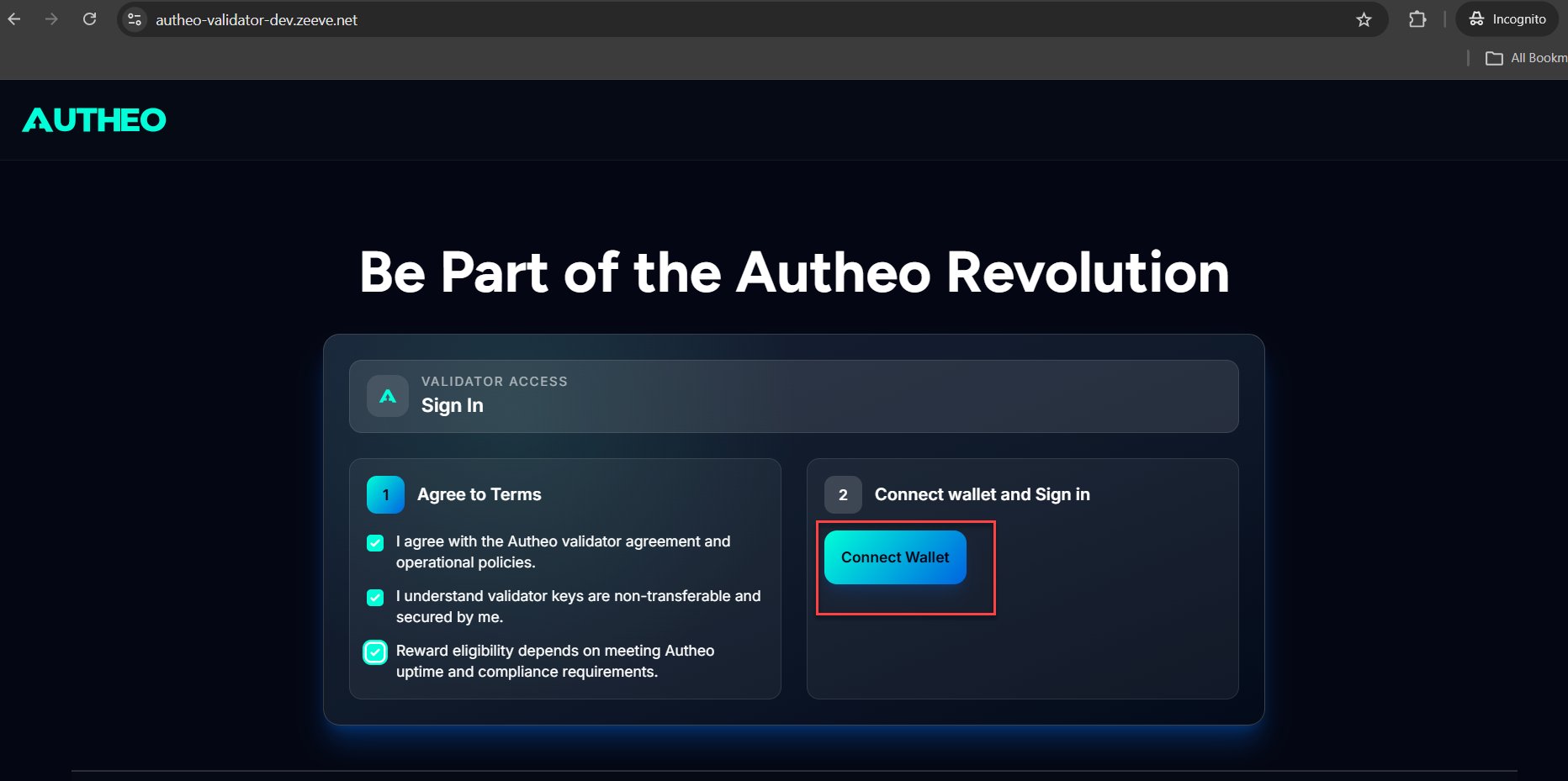 1. Click **Connect Wallet**
2. Keplr opens a popup to connect to the Autheo Alpha chain
3. Approve the chain addition if prompted (first-time only)
4. Sign the gasless authentication message (**ADR-36**) in Keplr
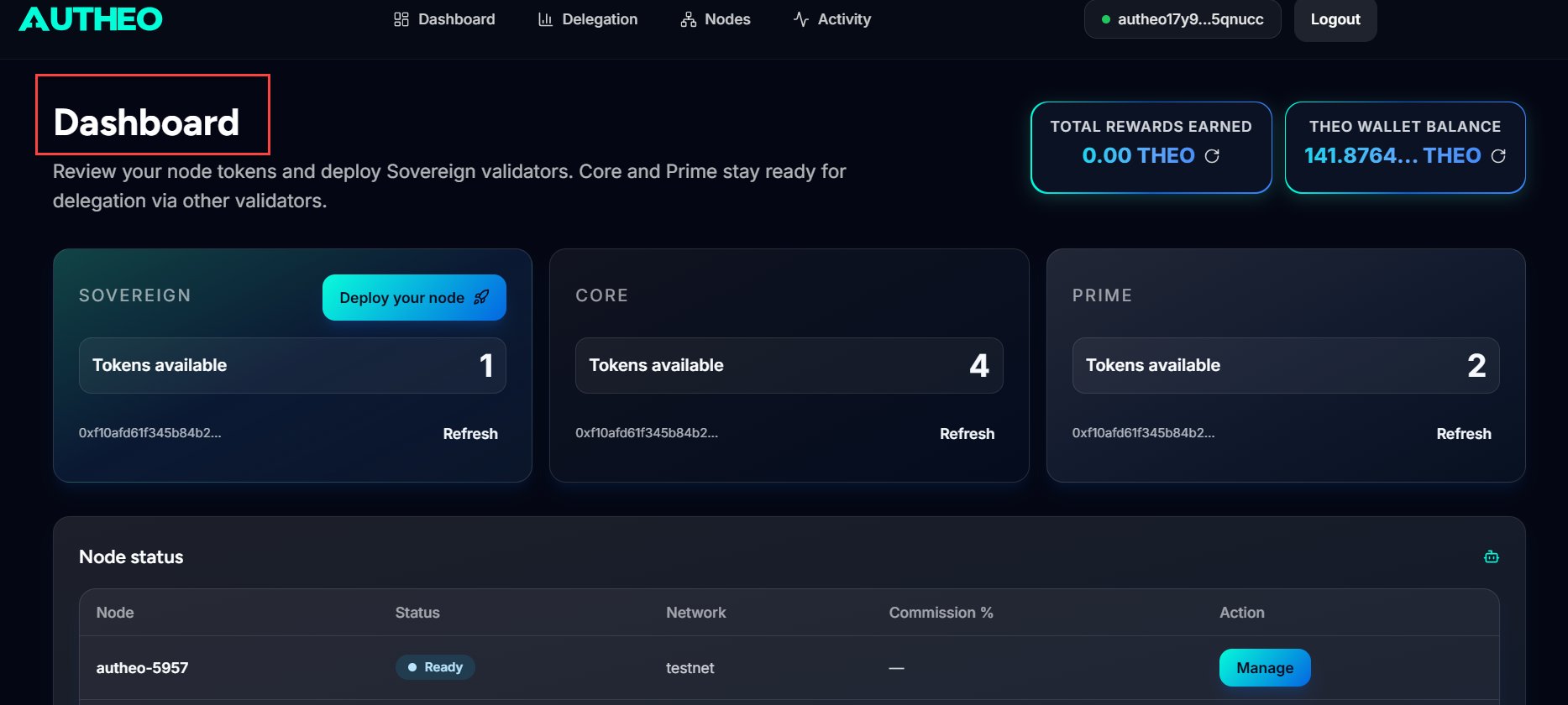
5. Upon successful authentication, you are redirected to the Dashboard
1. Click **Connect Wallet**
2. Keplr opens a popup to connect to the Autheo Alpha chain
3. Approve the chain addition if prompted (first-time only)
4. Sign the gasless authentication message (**ADR-36**) in Keplr
5. Upon successful authentication, you are redirected to the Dashboard
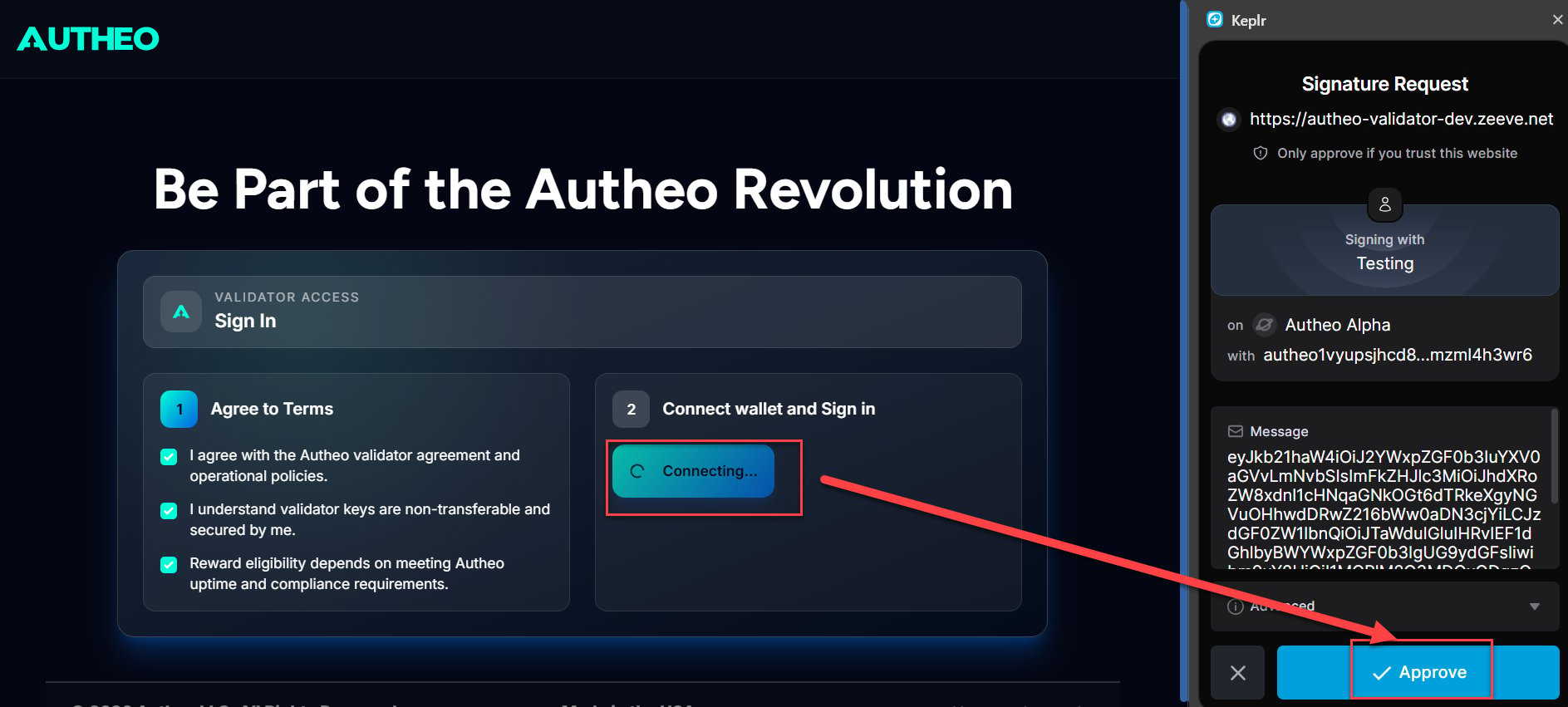
 The ADR-36 signature confirms you control the wallet address — it does not initiate any on-chain transaction or cost any tokens.
To sign out, click the **Logout** button in the top-right corner of the header. Your local session is cleared; on-chain delegations, rewards, and node subscriptions remain unaffected.
The ADR-36 signature confirms you control the wallet address — it does not initiate any on-chain transaction or cost any tokens.
To sign out, click the **Logout** button in the top-right corner of the header. Your local session is cleared; on-chain delegations, rewards, and node subscriptions remain unaffected.
