> ## Documentation Index
> Fetch the complete documentation index at: https://docs.autheo.com/llms.txt
> Use this file to discover all available pages before exploring further.
# Delegation
> How to browse validators, delegate THEO tokens, and bind Prime or Core licenses in the Autheo Validator Portal.
Delegation allows you to stake THEO tokens with a validator and bind licenses to earn rewards — without running your own validator node. This is the primary path for Prime and Core license holders.
For how license binding relates to on-chain mechanics, see [License gating](/nodes/architecture/license-gating).
## Browsing validators
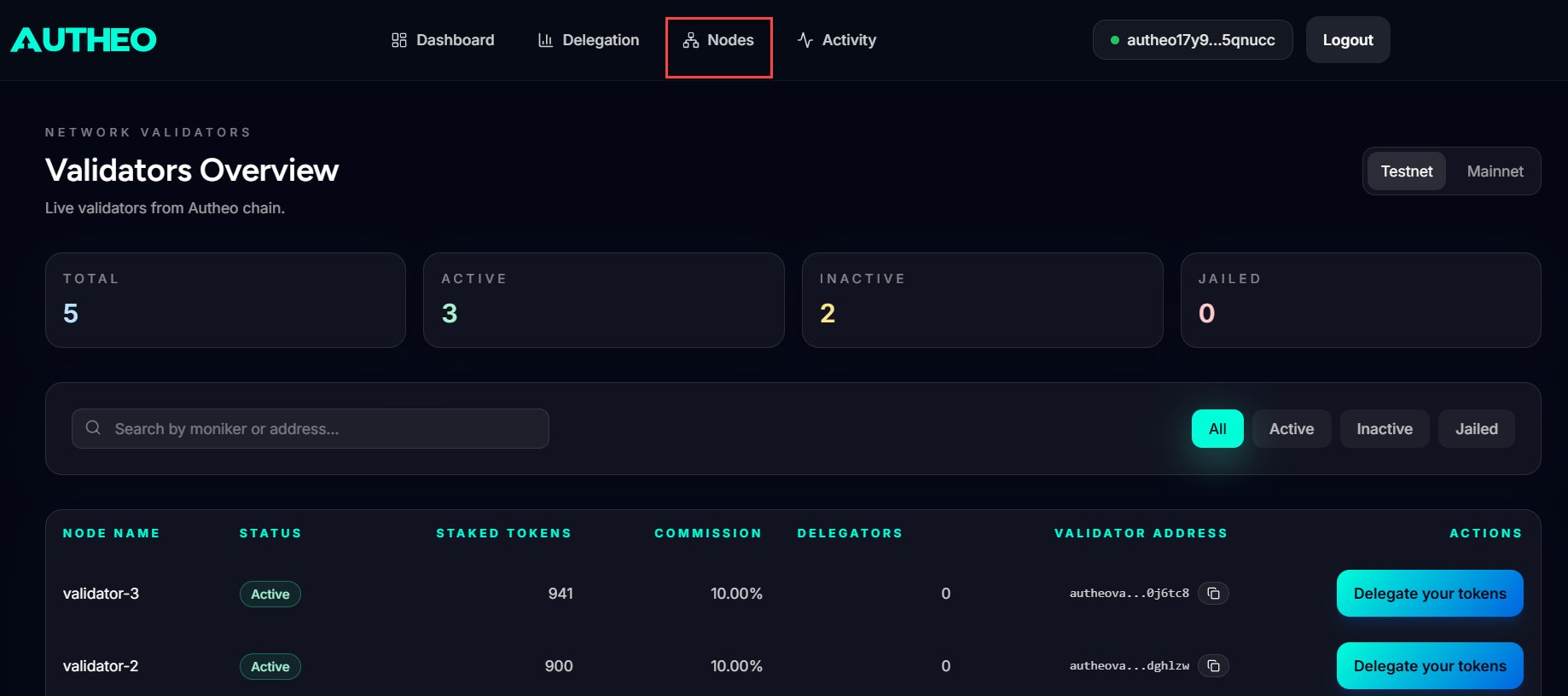
Navigate to the **Nodes** page from the main menu.
* Use the **search bar** to find validators by name (moniker) or address
* Use the **status dropdown** to filter:
| Filter | Shows |
| -------- | ------------------------------------ |
| All | All validators |
| Active | Bonded and not jailed validators |
| Inactive | Not bonded and not jailed validators |
| Jailed | Jailed validators |
Each validator entry shows: moniker, status, address, commission rate, and token balance. Click a validator to begin the delegation process.
 ## Delegating tokens
Click a validator from the Nodes page to open the delegation modal. Review the validator's details — commission rate, status, and description.
## Delegating tokens
Click a validator from the Nodes page to open the delegation modal. Review the validator's details — commission rate, status, and description.
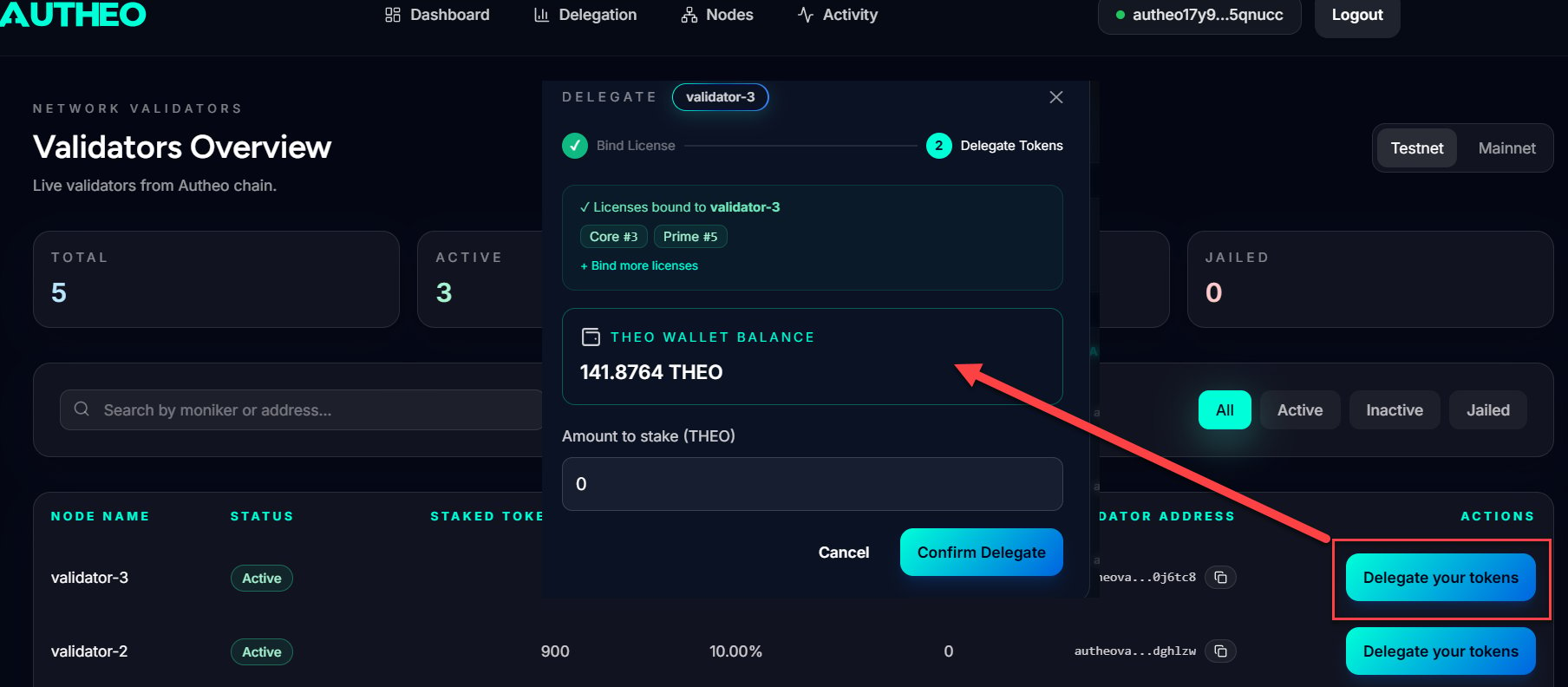 Enter the THEO amount in the **Amount** field.
Retain sufficient THEO for gas fees. Do not delegate your entire balance.
Enter the THEO amount in the **Amount** field.
Retain sufficient THEO for gas fees. Do not delegate your entire balance.
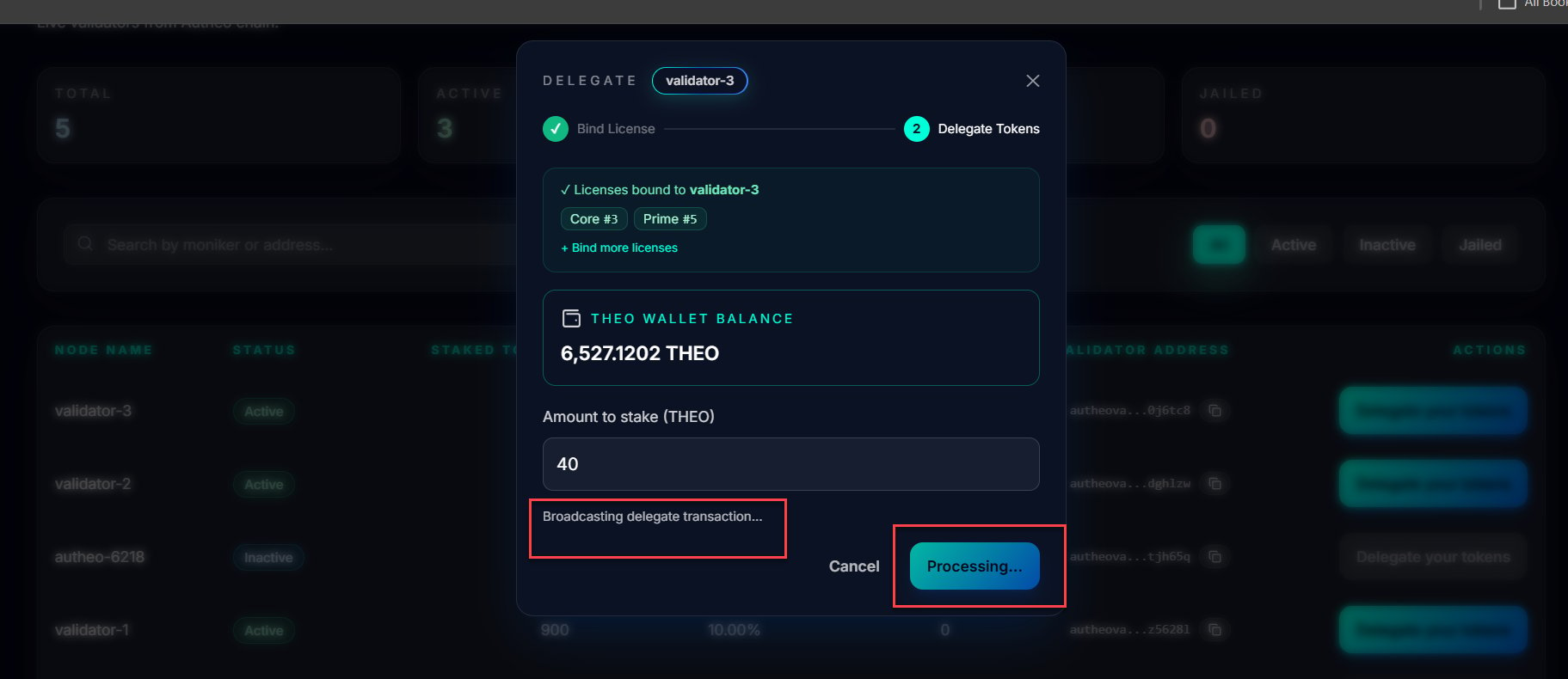
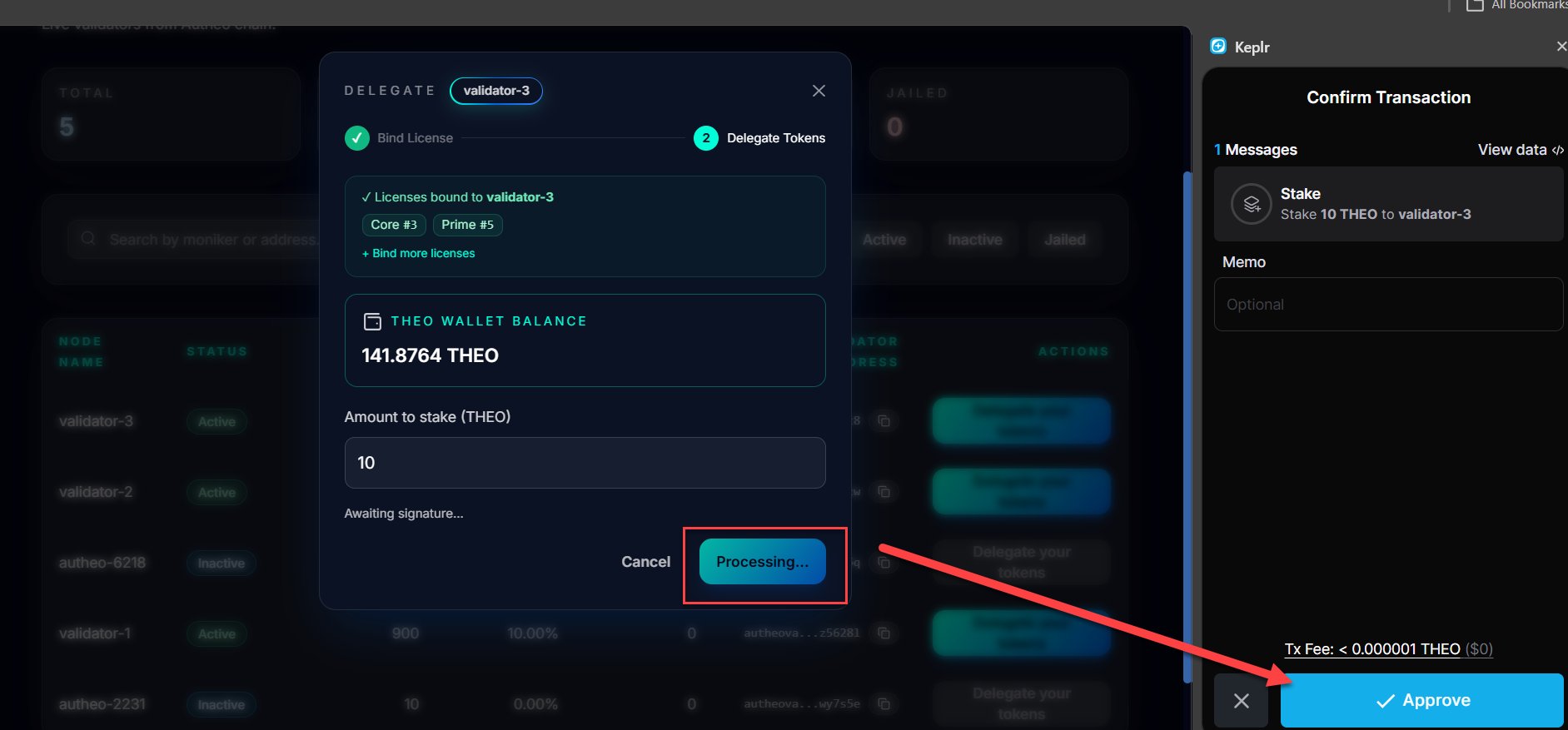 Click **Confirm Delegate** and sign the transaction in Keplr. Your delegation becomes active once the transaction confirms on-chain.
 ## Binding a license
After delegating, you are prompted to bind a Prime or Core license to the delegation. Binding activates the license, moving it from `BOUND` to `ACTIVE` status and enabling per-block NFT emission rewards.
Choose **Prime** or **Core** from the license type selector.
Select an available license from the **License ID** dropdown. Only unbound licenses appear in the list.
Click **Bind License** and sign the transaction in Keplr.
## Managing active delegations
Navigate to the **Delegation** page from the main menu to see all your active delegations.
| Column | Description |
| ----------------- | ---------------------------------------------- |
| Validator Address | The validator's operator address |
| Bound Licenses | Licenses currently bound to this delegation |
| Staked Amount | Amount of THEO delegated |
| Rewards Earned | Accumulated rewards (hover for full precision) |
| Actions | Claim Rewards, Unbind License, Unstake |
## Binding a license
After delegating, you are prompted to bind a Prime or Core license to the delegation. Binding activates the license, moving it from `BOUND` to `ACTIVE` status and enabling per-block NFT emission rewards.
Choose **Prime** or **Core** from the license type selector.
Select an available license from the **License ID** dropdown. Only unbound licenses appear in the list.
Click **Bind License** and sign the transaction in Keplr.
## Managing active delegations
Navigate to the **Delegation** page from the main menu to see all your active delegations.
| Column | Description |
| ----------------- | ---------------------------------------------- |
| Validator Address | The validator's operator address |
| Bound Licenses | Licenses currently bound to this delegation |
| Staked Amount | Amount of THEO delegated |
| Rewards Earned | Accumulated rewards (hover for full precision) |
| Actions | Claim Rewards, Unbind License, Unstake |
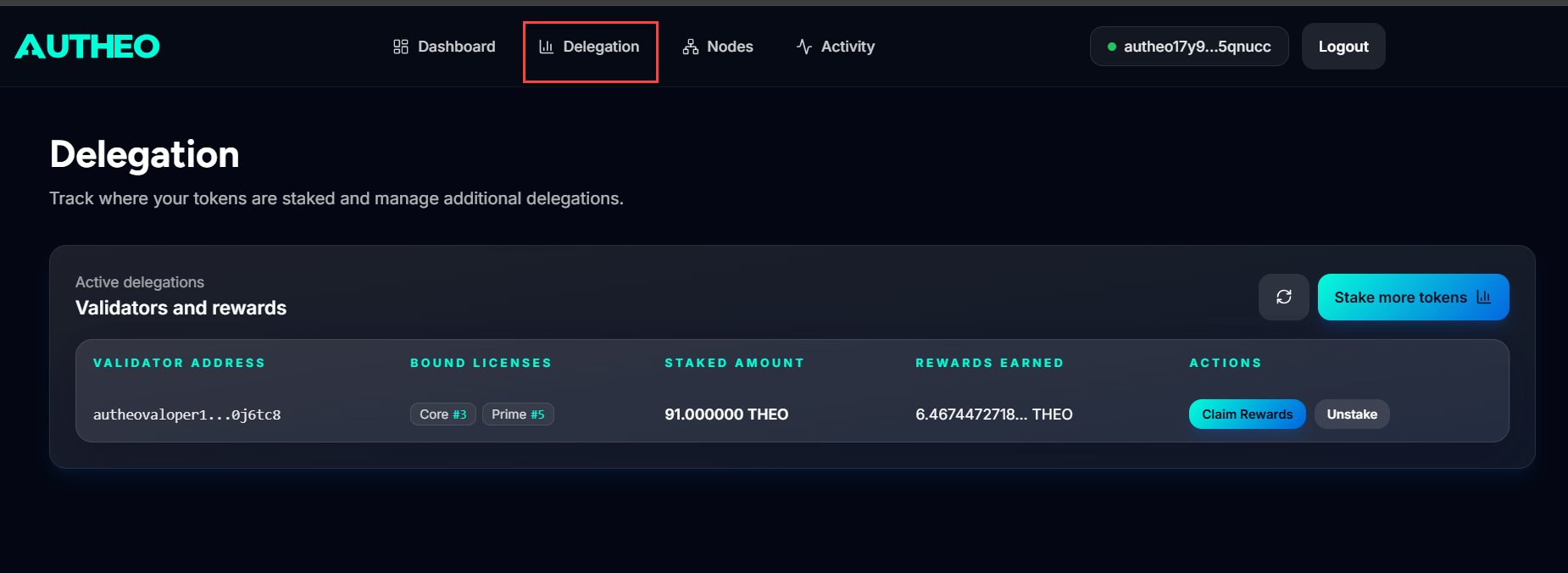 From this page you can claim rewards, unbind licenses, and initiate unstaking. See [Rewards and unstaking](/web-apps/validator-portal/rewards-and-unstaking) for details.