> ## Documentation Index
> Fetch the complete documentation index at: https://docs.autheo.com/llms.txt
> Use this file to discover all available pages before exploring further.
# Purchasing a license
> How to navigate the Node Sale Platform and purchase Core, Prime, or Sovereign node license NFTs.
Node licenses are ERC-721 NFTs on the Arbitrum blockchain. This page covers platform navigation and the full purchase flow.
## Platform navigation
Once logged in, the main navigation is a tab bar at the top of the content area:
| Tab | Route | Purpose |
| ------------------ | ------------ | --------------------------------------------- |
| Node Sale Platform | `/purchase` | Buy new node licenses |
| Referrals Code | `/referrals` | Generate and manage your referral code |
| My Orders | `/orders` | View your purchase and referral order history |
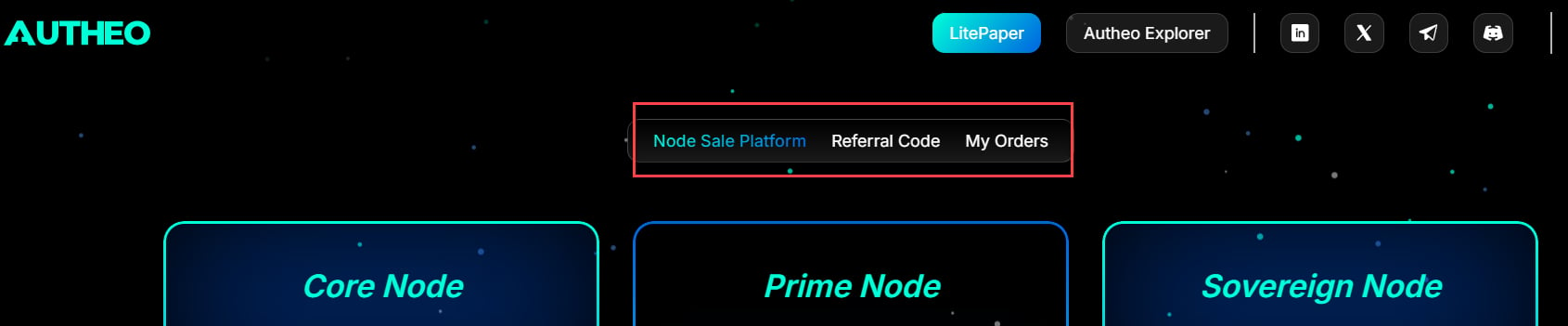 The **header** includes the Autheo logo (returns to the Purchase page), links to the LitePaper and Autheo Explorer, social links, and your connected wallet address. On mobile, these are accessible via the hamburger menu (☰) in the top right.

 ## Purchasing a node license
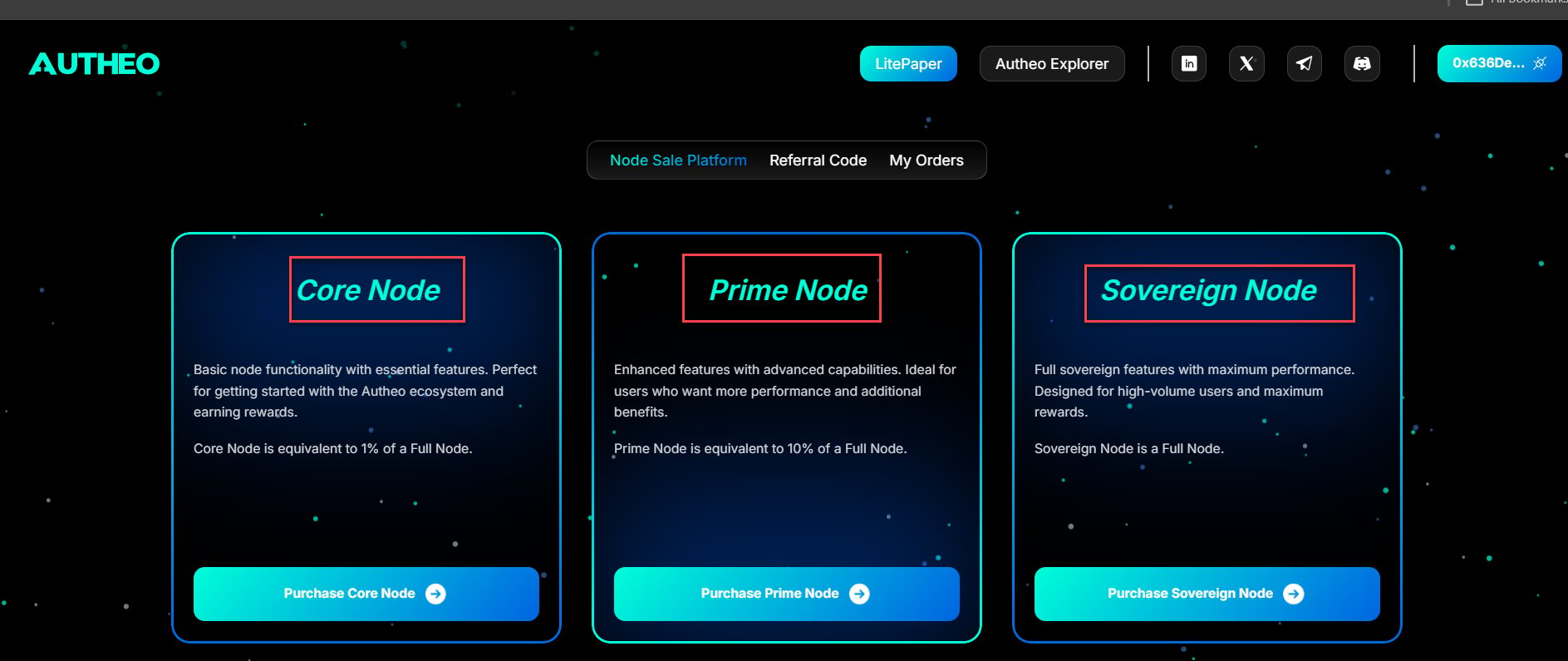
### Step 1 — Choose a node type
| Node type | Multiplier | Description |
| --------- | ---------- | ----------------------------------------------------------------------- |
| Core | 1× | Entry-level node license. Ideal for individual participants. |
| Prime | 10× Core | Mid-tier license with 10× the computing weight of a Core node. |
| Sovereign | 100× Core | Enterprise-grade license with 100× the computing weight of a Core node. |
Click the node type you wish to purchase to see the current price and available supply.
## Purchasing a node license
### Step 1 — Choose a node type
| Node type | Multiplier | Description |
| --------- | ---------- | ----------------------------------------------------------------------- |
| Core | 1× | Entry-level node license. Ideal for individual participants. |
| Prime | 10× Core | Mid-tier license with 10× the computing weight of a Core node. |
| Sovereign | 100× Core | Enterprise-grade license with 100× the computing weight of a Core node. |
Click the node type you wish to purchase to see the current price and available supply.
 To learn how these license types map to on-chain roles and reward tiers, see [License gating](/nodes/architecture/license-gating).
### Step 2 — Configure your purchase
**Quantity** — Use the **+** and **−** buttons (or type directly) to set how many licenses to purchase. The maximum is governed by the per-user cap in the smart contract.
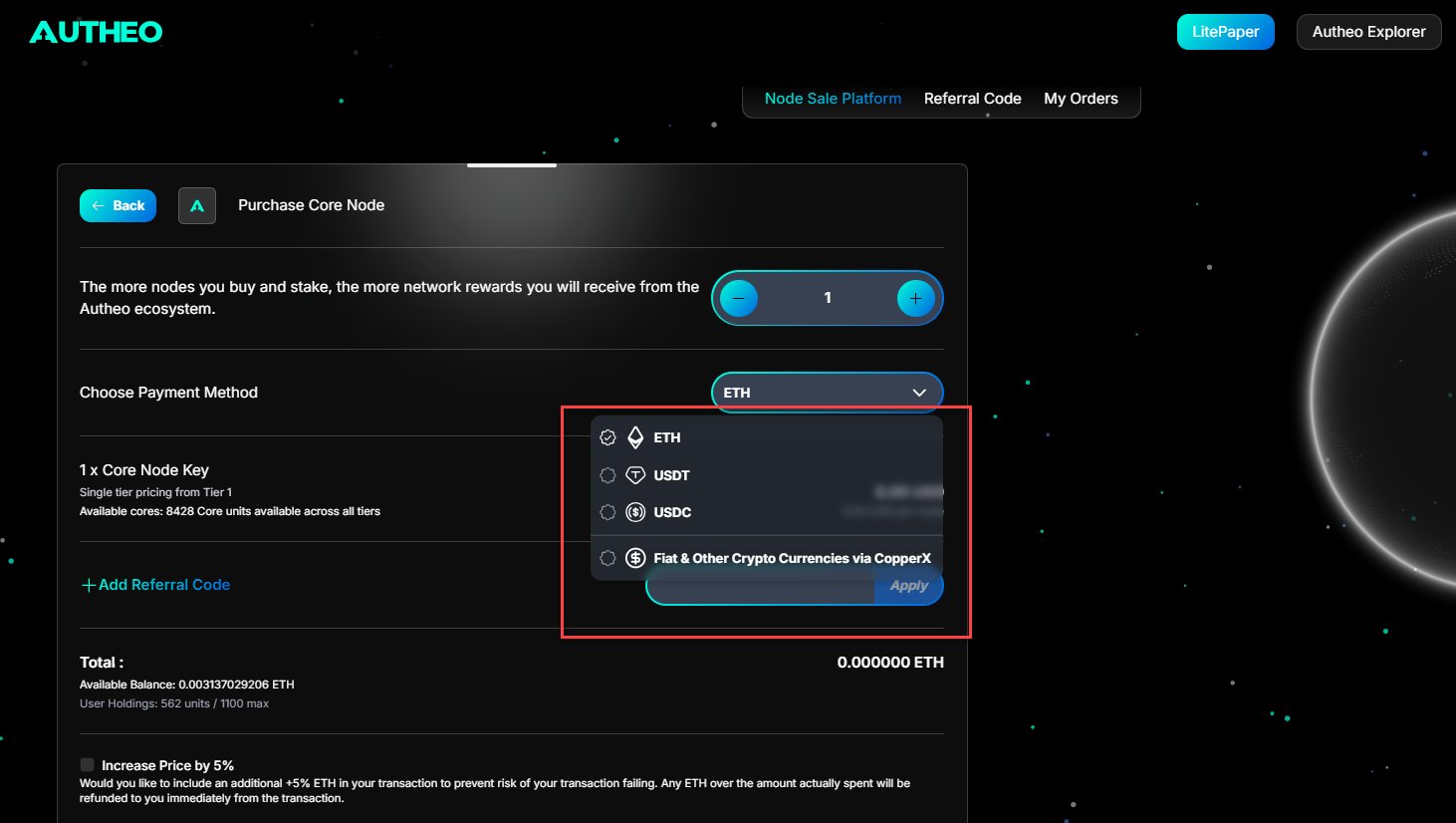
**Currency**
| Option | Description |
| ------ | --------------------------------------------------------------- |
| ETH | Pay with native Ether using a live Chainlink ETH/USD price feed |
| USDT | Pay with USD Tether (ERC-20 stablecoin) |
| USDC | Pay with USD Coin (ERC-20 stablecoin) |
| FIAT | Pay with a credit or debit card via a hosted payment session |
To learn how these license types map to on-chain roles and reward tiers, see [License gating](/nodes/architecture/license-gating).
### Step 2 — Configure your purchase
**Quantity** — Use the **+** and **−** buttons (or type directly) to set how many licenses to purchase. The maximum is governed by the per-user cap in the smart contract.
**Currency**
| Option | Description |
| ------ | --------------------------------------------------------------- |
| ETH | Pay with native Ether using a live Chainlink ETH/USD price feed |
| USDT | Pay with USD Tether (ERC-20 stablecoin) |
| USDC | Pay with USD Coin (ERC-20 stablecoin) |
| FIAT | Pay with a credit or debit card via a hosted payment session |
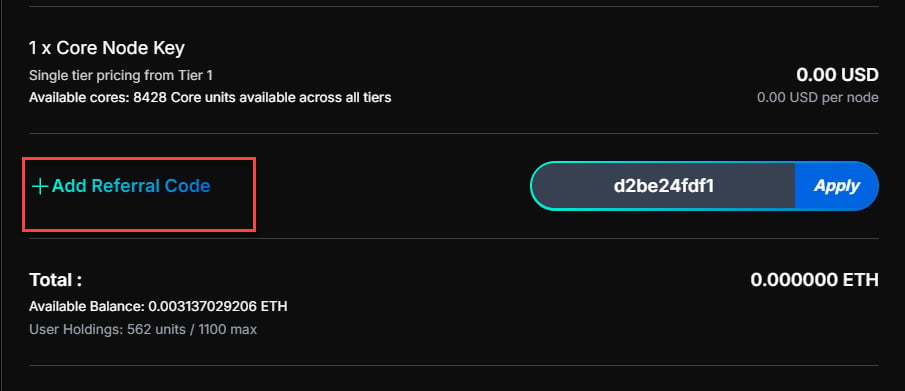
 **Promo / Referral code (optional)** — Enter a referral code in the Promo Code field and click **Apply** to receive a discount and credit the referrer with a commission.
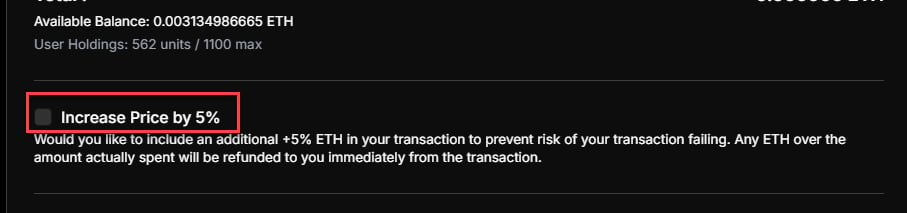
 **Safety Fund (optional)** — Enabling the Safety Fund checkbox allocates a small additional amount as a network safety reserve.
 ### Step 3 — Confirm the purchase
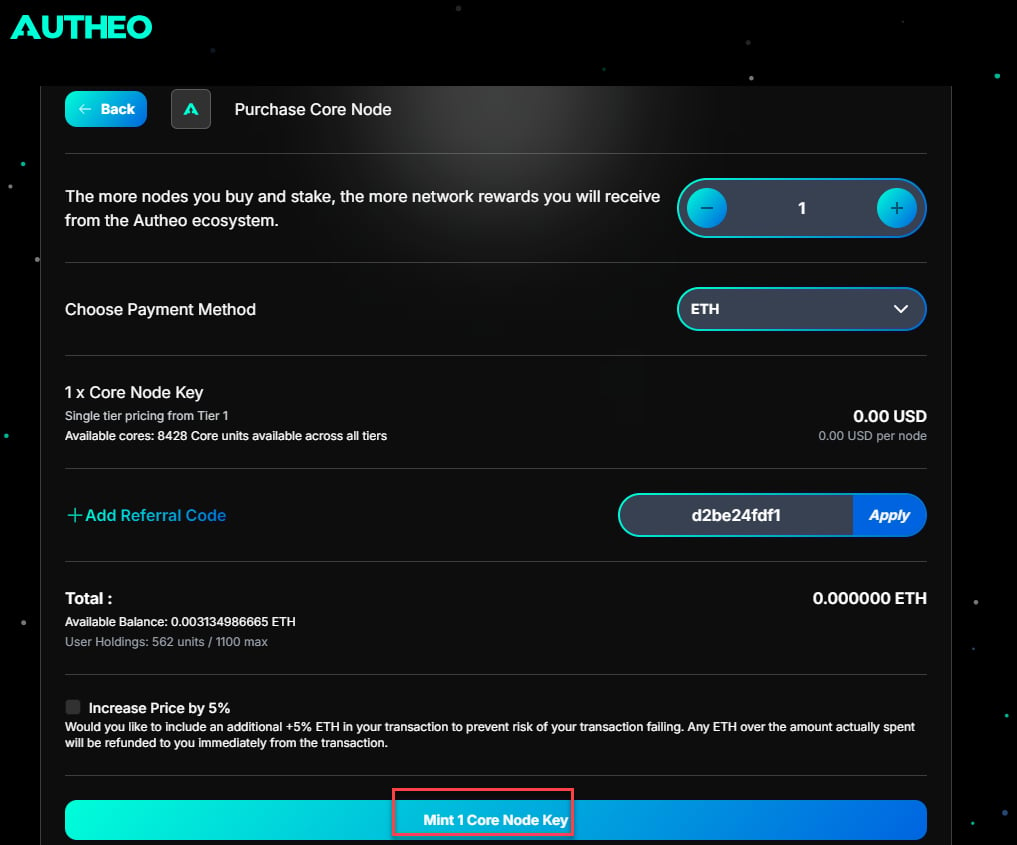
1. Review the order summary and click **Purchase**
2. A Purchase Confirmation modal appears with a real-time transaction progress flow
### Step 3 — Confirm the purchase
1. Review the order summary and click **Purchase**
2. A Purchase Confirmation modal appears with a real-time transaction progress flow
 **For ETH / USDT / USDC payments:**
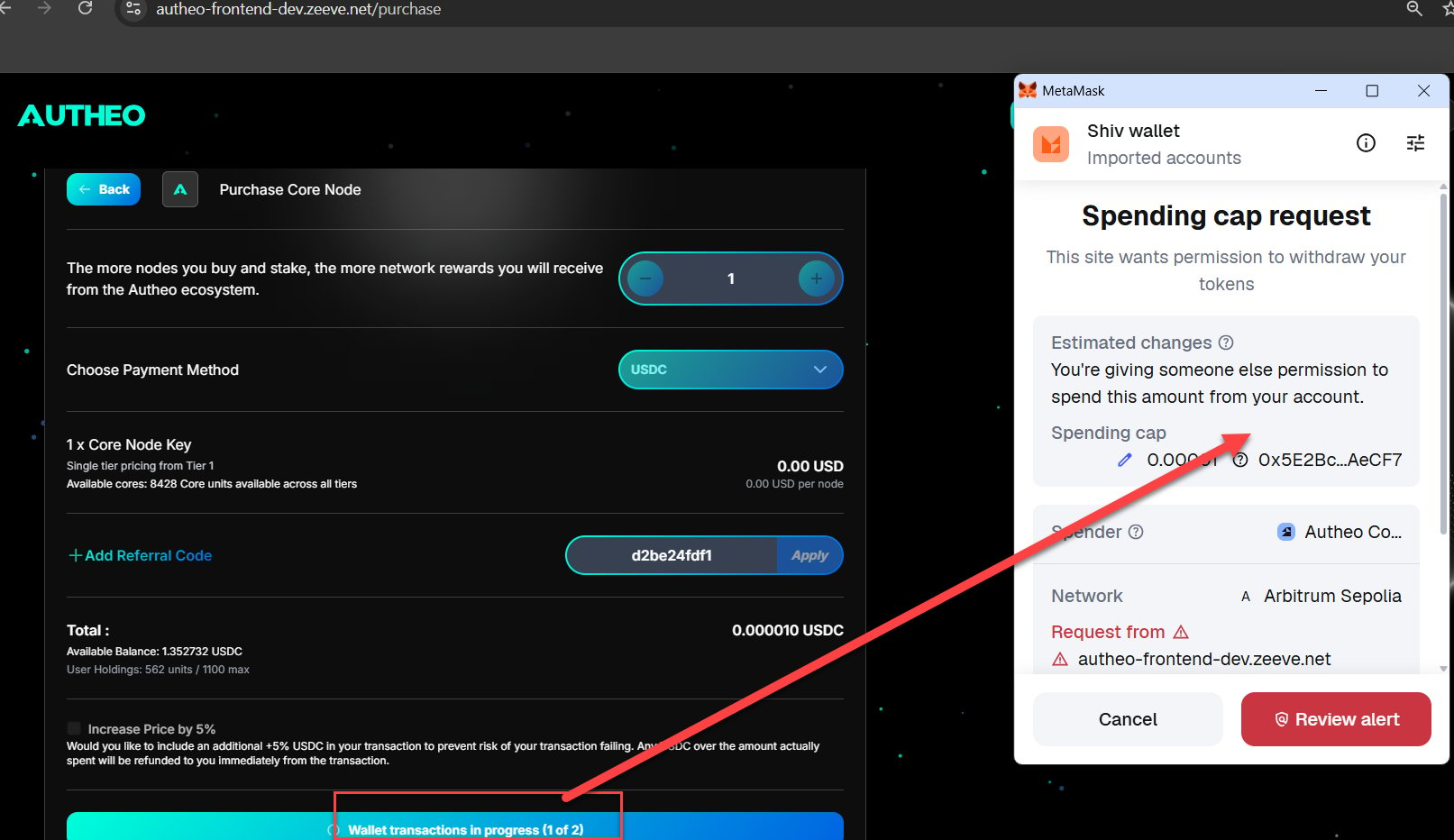
* Approve the transaction in your wallet (ERC-20 tokens require an approval step first)
* Gas fees apply
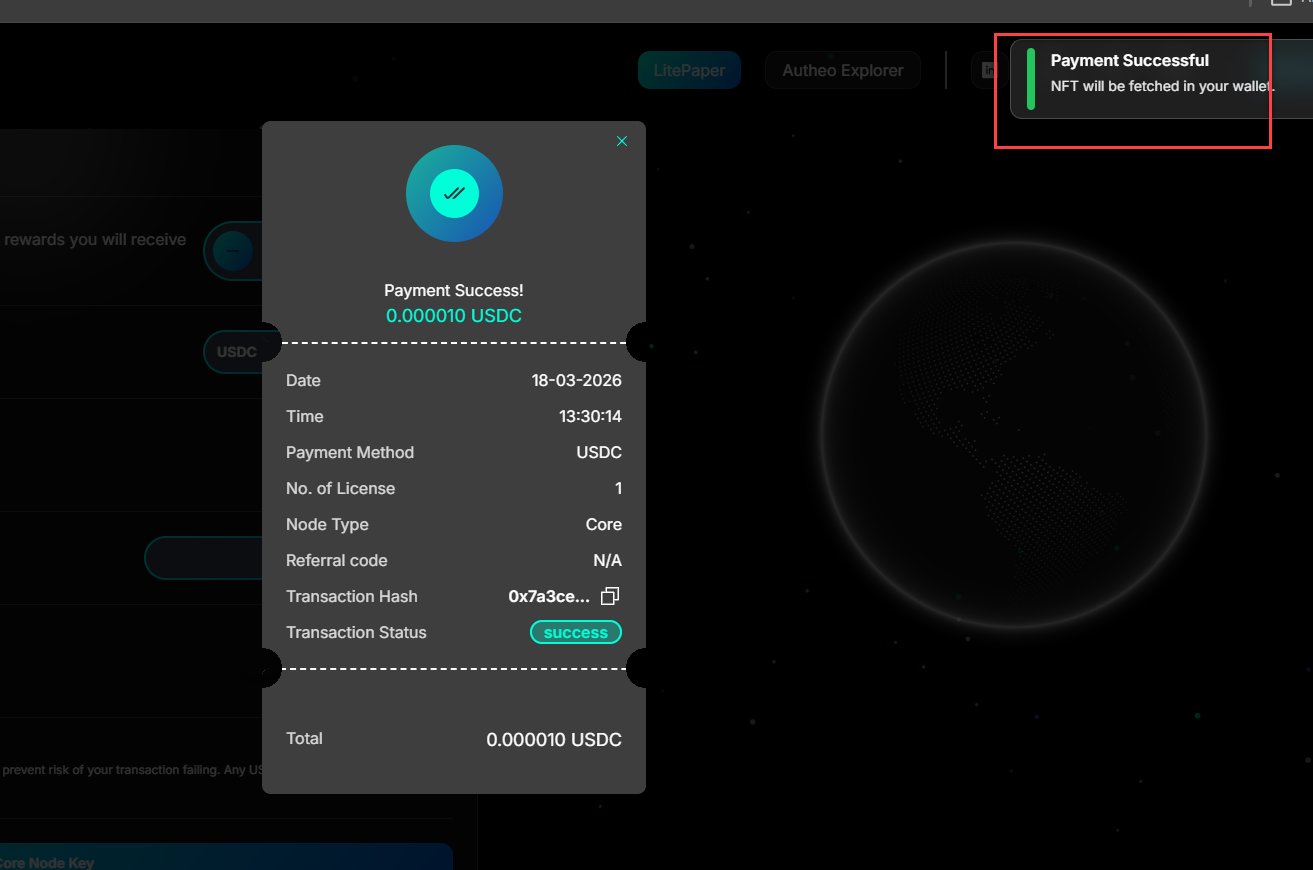
* On success, you are redirected to the Success page
**For ETH / USDT / USDC payments:**
* Approve the transaction in your wallet (ERC-20 tokens require an approval step first)
* Gas fees apply
* On success, you are redirected to the Success page
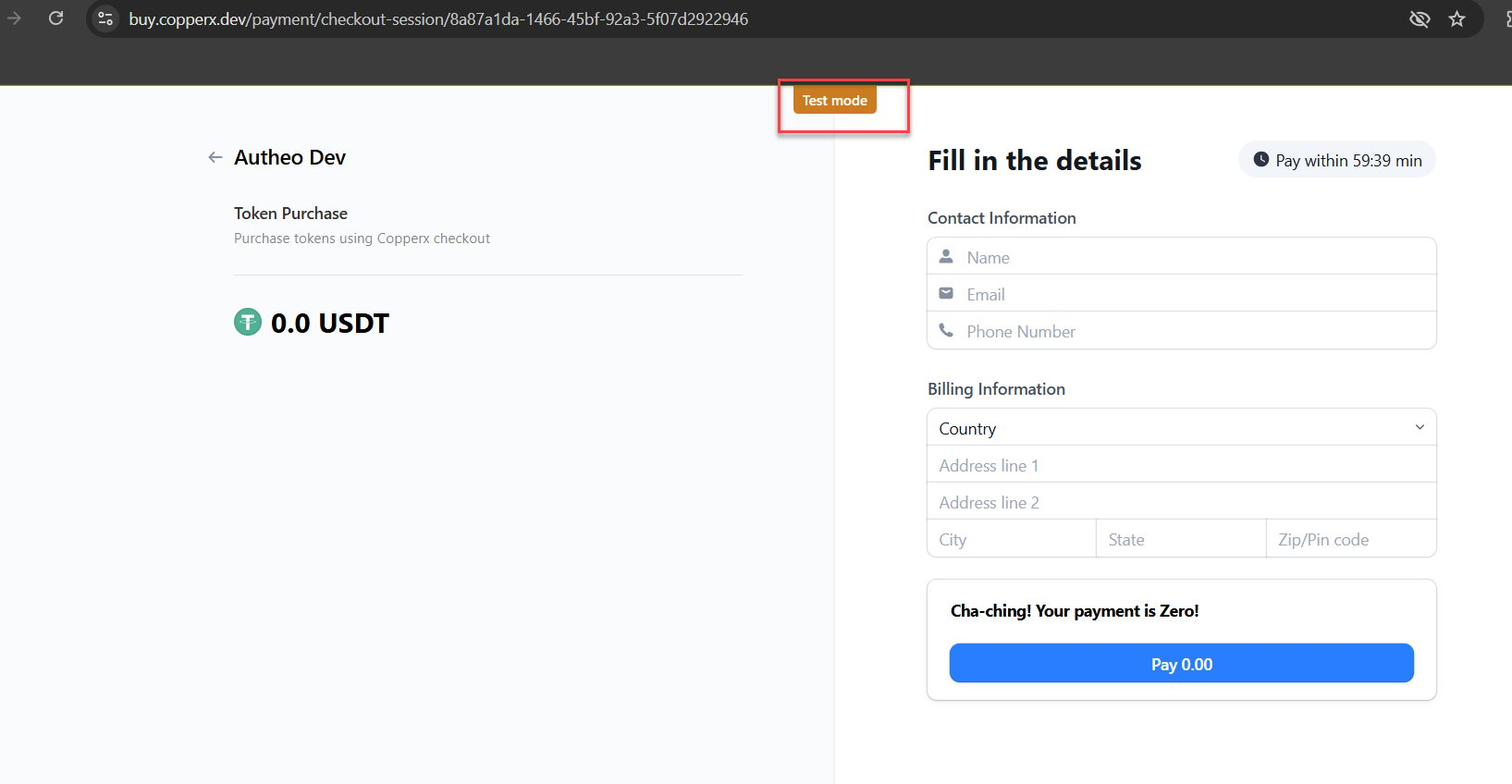
 **For FIAT payments:**
* You are redirected to a hosted payment page
* On successful payment, you are redirected to the Success page
* If you cancel, you are redirected to the Cancel page with no charge applied
**For FIAT payments:**
* You are redirected to a hosted payment page
* On successful payment, you are redirected to the Success page
* If you cancel, you are redirected to the Cancel page with no charge applied
 Do not close your browser or disconnect your wallet during an active transaction.
### Supply limits and blacklist check
Each pricing tier has a fixed supply. When a tier sells out, it automatically advances to the next tier. Current supply availability is shown on the purchase page.
If your wallet is on the Autheo blacklist, the purchase button will be disabled. Contact Autheo support if you believe this is in error.
## After your purchase
On the **Success page** (`/success`), you will see a transaction summary and a link to return to the Purchase page. Your new license NFT will appear in your wallet.
Your next step is to import the NFT into MetaMask for visibility and then bridge it to Autheo Chain. See [Order history and NFT import](/web-apps/node-sale/order-history) for the import steps.
Do not close your browser or disconnect your wallet during an active transaction.
### Supply limits and blacklist check
Each pricing tier has a fixed supply. When a tier sells out, it automatically advances to the next tier. Current supply availability is shown on the purchase page.
If your wallet is on the Autheo blacklist, the purchase button will be disabled. Contact Autheo support if you believe this is in error.
## After your purchase
On the **Success page** (`/success`), you will see a transaction summary and a link to return to the Purchase page. Your new license NFT will appear in your wallet.
Your next step is to import the NFT into MetaMask for visibility and then bridge it to Autheo Chain. See [Order history and NFT import](/web-apps/node-sale/order-history) for the import steps.