> ## Documentation Index
> Fetch the complete documentation index at: https://docs.autheo.com/llms.txt
> Use this file to discover all available pages before exploring further.
# Node Sale Platform
> Introduction to the Autheo Node Sale Platform: purchase node license NFTs, system requirements, connecting your wallet, and session management.
The Autheo Node Sale Platform is a decentralized application where you purchase node licenses represented as ERC-721 NFTs on the Arbitrum blockchain. Each license grants its holder the right to participate in the Autheo network — either by operating a validator node or delegating stake to earn rewards.
**Platform URL:** [https://tsp.autheo.com](https://tsp.autheo.com)
## What you can do
| Capability | Description |
| ------------------------- | --------------------------------------------------------------------------------- |
| Purchase node licenses | Buy Core, Prime, or Sovereign node licenses as blockchain NFTs |
| Earn referral commissions | Generate a referral code to earn a commission on every purchase made with it |
| Track orders | Review all your personal purchases and all orders placed using your referral code |
## System requirements
### Supported browsers
| Browser | Minimum version |
| --------------- | ----------------- |
| Google Chrome | 90+ (recommended) |
| Mozilla Firefox | 88+ |
| Microsoft Edge | 90+ |
| Brave | Latest |
### Required wallet
| Wallet | Notes |
| ------------ | --------------------------------------------- |
| MetaMask | Recommended. Browser extension or mobile app. |
| Trust Wallet | Supported via the in-app browser. |
Your wallet must be connected to the **Arbitrum Sepolia** network (Chain ID: `421614`). The platform will prompt you to switch networks automatically if needed. Don't have MetaMask installed? See the [MetaMask installation guide](/getting-started/wallets/metamask-install).
All transactions currently use testnet assets on Arbitrum Sepolia. Testnet ETH is available from the Arbitrum Sepolia faucet.
## Connecting your wallet
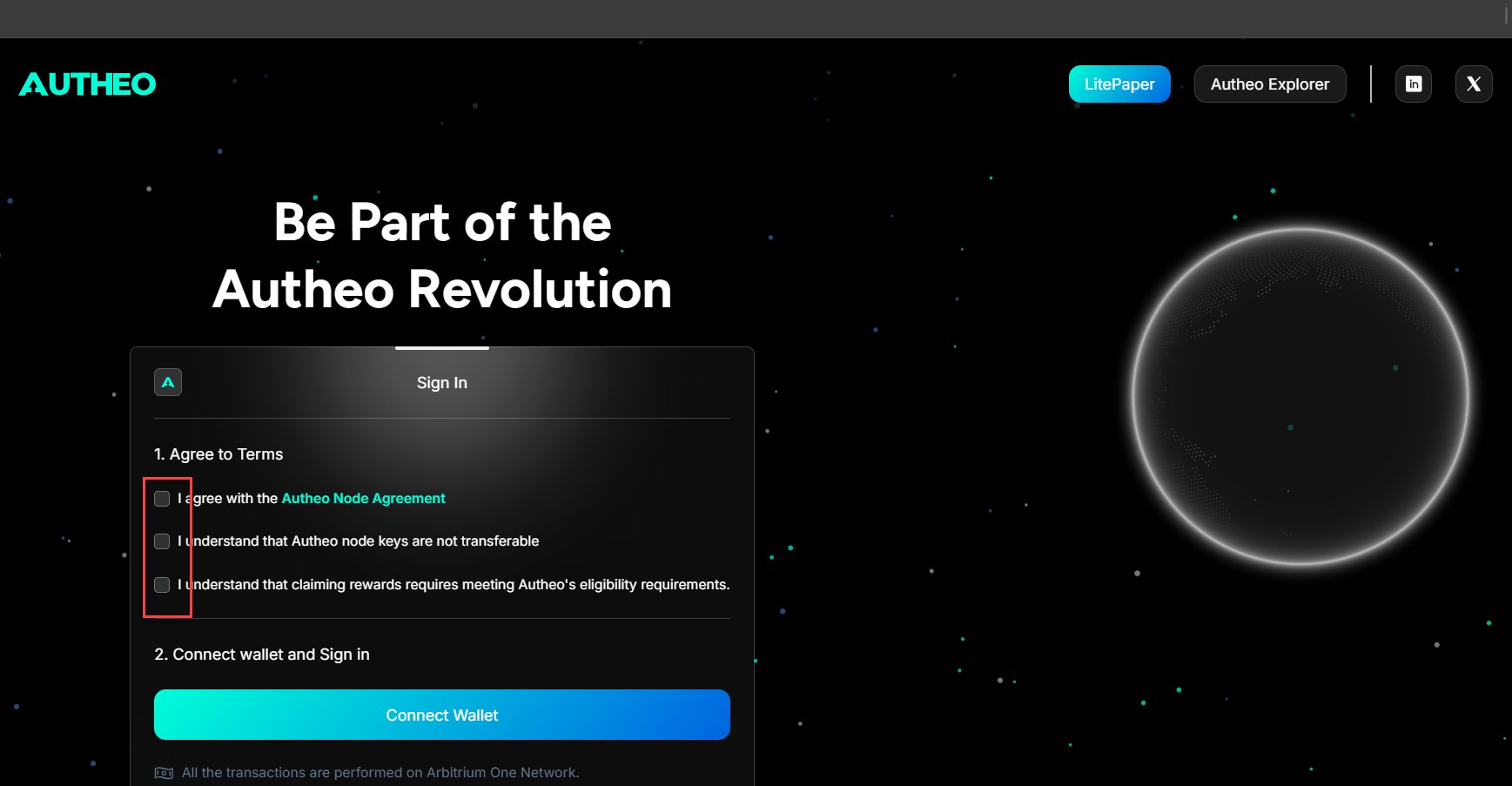
Open your browser and go to the Node Sale Platform URL. You will see the login page.
Before connecting your wallet, check all three agreement boxes:
1. **Terms of Service** — Confirms you have read and agree to Autheo's terms
2. **Privacy Policy** — Confirms you consent to data handling practices
3. **Risk Acknowledgement** — Confirms you understand the risks associated with blockchain and cryptocurrency
All three checkboxes must be checked before the wallet connection button becomes active.
 1. Click **Connect Wallet**
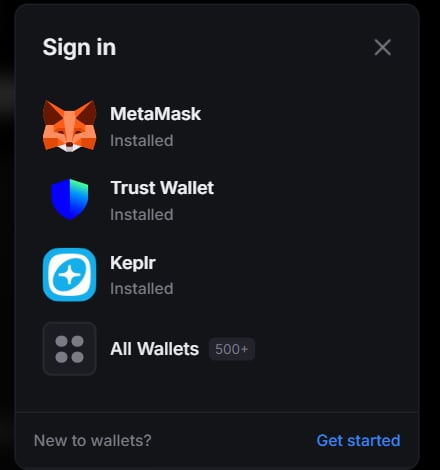
2. A wallet selector modal appears — choose MetaMask or Trust Wallet
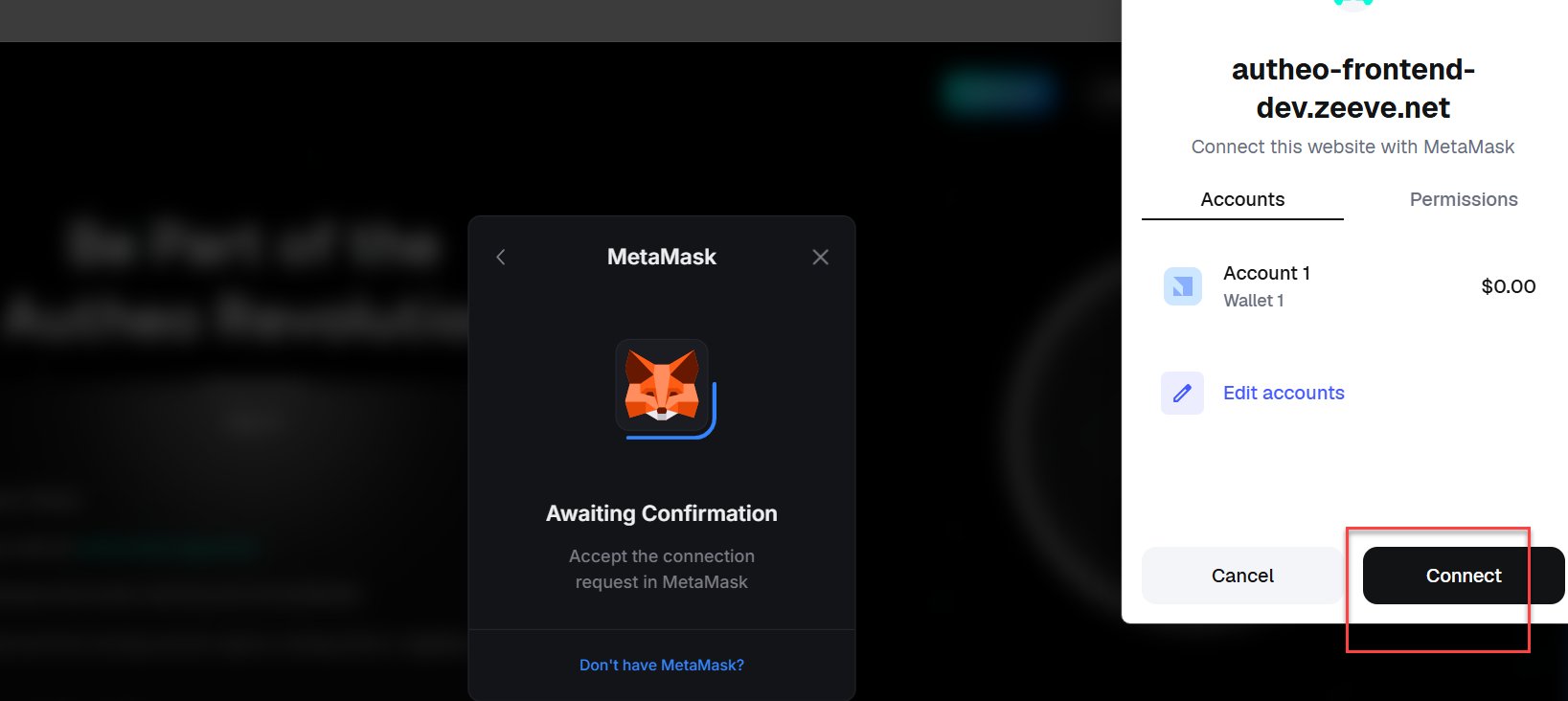
3. Your wallet extension opens and prompts you to connect your account. Approve the connection.
4. You will be asked to sign a message in your wallet. This is a **Sign-In With Ethereum (SIWE)** authentication step — it does not cost gas and simply proves ownership of your wallet address.
5. Review the message content and click **Sign** in your wallet.
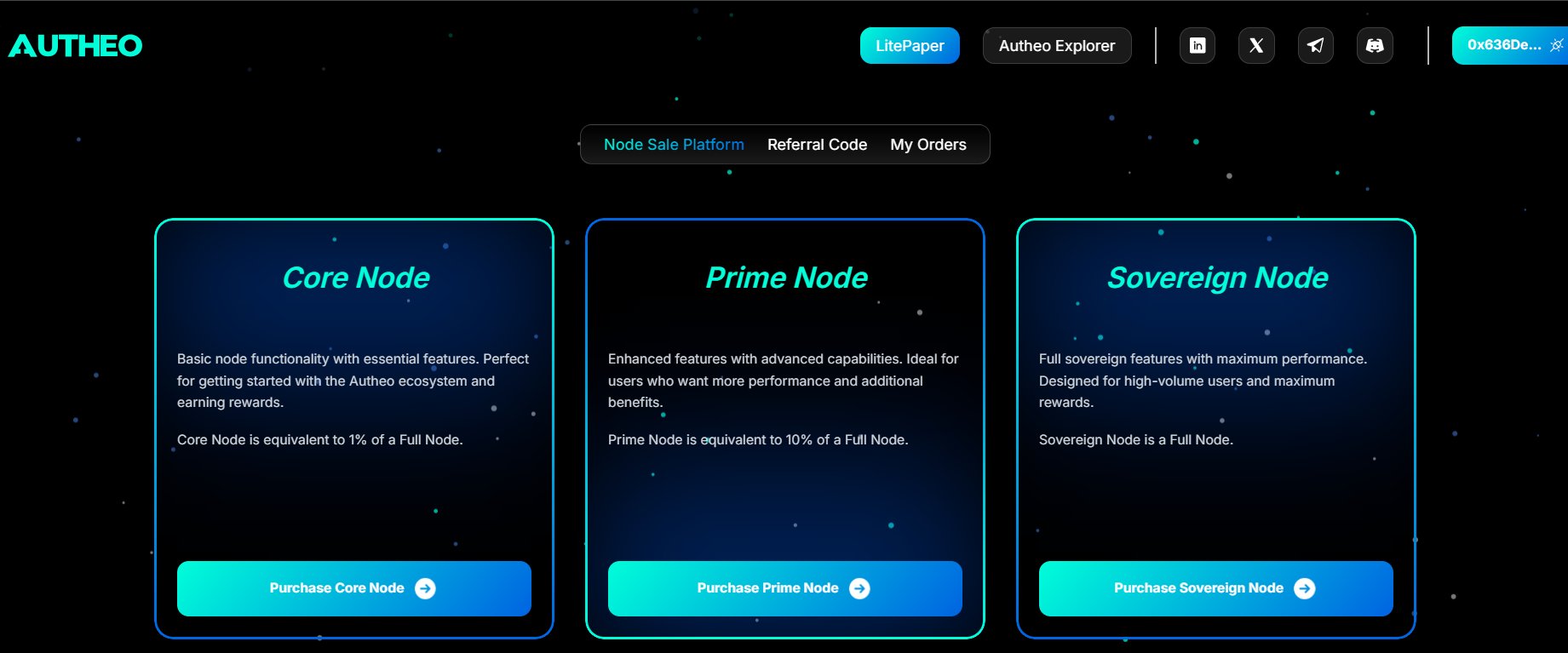
Upon successful sign-in, you are automatically redirected to the Purchase page.
1. Click **Connect Wallet**
2. A wallet selector modal appears — choose MetaMask or Trust Wallet
3. Your wallet extension opens and prompts you to connect your account. Approve the connection.
4. You will be asked to sign a message in your wallet. This is a **Sign-In With Ethereum (SIWE)** authentication step — it does not cost gas and simply proves ownership of your wallet address.
5. Review the message content and click **Sign** in your wallet.
Upon successful sign-in, you are automatically redirected to the Purchase page.
 **About SIWE authentication** — Autheo uses Sign-In With Ethereum (EIP-4361) for login. No password is required. Your wallet signature proves your identity. The sign-in message is human-readable and shown in your wallet before signing. The signature only authorizes a session — it does not transfer funds or approve on-chain actions.
If you close the wallet popup or reject the signature request, the login will not complete. Try again by clicking **Connect Wallet**.
To disconnect, click your wallet address in the top-right corner of the header. You will be logged out and redirected to the login page.
## Session management
| Behaviour | Details |
| ----------------- | ---------------------------------------------------------------------------------------------- |
| Session expiry | Your session expires after **15 minutes of inactivity**. Re-sign with your wallet to continue. |
| Access token | Short-lived, stored in a secure cookie. Refreshed automatically while the session is active. |
| Refresh token | Used to silently obtain a new access token. If expired, you are automatically logged out. |
| Wallet disconnect | Immediately clears all session tokens and redirects to the login page. |
**About SIWE authentication** — Autheo uses Sign-In With Ethereum (EIP-4361) for login. No password is required. Your wallet signature proves your identity. The sign-in message is human-readable and shown in your wallet before signing. The signature only authorizes a session — it does not transfer funds or approve on-chain actions.
If you close the wallet popup or reject the signature request, the login will not complete. Try again by clicking **Connect Wallet**.
To disconnect, click your wallet address in the top-right corner of the header. You will be logged out and redirected to the login page.
## Session management
| Behaviour | Details |
| ----------------- | ---------------------------------------------------------------------------------------------- |
| Session expiry | Your session expires after **15 minutes of inactivity**. Re-sign with your wallet to continue. |
| Access token | Short-lived, stored in a secure cookie. Refreshed automatically while the session is active. |
| Refresh token | Used to silently obtain a new access token. If expired, you are automatically logged out. |
| Wallet disconnect | Immediately clears all session tokens and redirects to the login page. |